Walk into the review with the current diagrams ready
Every Monday, WebRun opens your draw.io diagrams, exports the current version of each page as an image or PDF, notes when each diagram was last revised, posts the pack with links to Slack ahead of the review, and sends the meeting owner a WhatsApp note that it is ready.
- No credit card
- Under $0.01 per run
- Cancel anytime
How do I get current diagram exports ready before a review meeting?
WebRun opens your draw.io diagrams every Monday, exports the current pages as images or PDF, and records when each was last edited. It posts the pack with file links to Slack in review order and sends the meeting owner a WhatsApp note, so nobody presents a diagram from last quarter.
- The review starts with current diagrams already attached
- Stale diagrams are flagged before anyone presents them
- Nobody spends Monday morning exporting pages by hand
Built for architects · engineering managers · process owners · consultants
What does WebRun do on every run?
The exact actions WebRun takes, in order - in plain language, so you can adjust anything.
-
WebRun signs in and gets to work
Opens
app.diagrams.netin a real browser with your saved login - no setup, no API keys. -
1
draw.io - export the current pages
diagrams.net
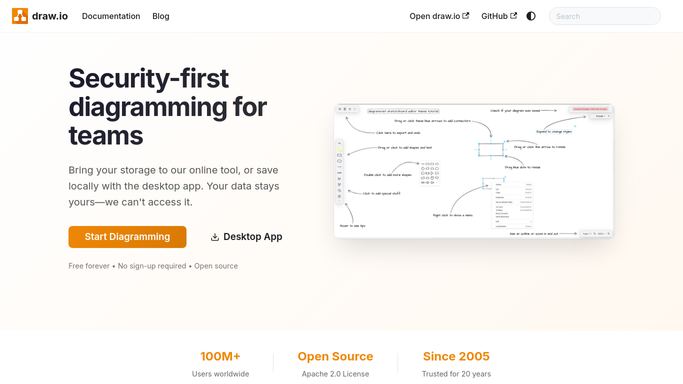
WebRun opens draw.io to export the current pages. - Open each diagram on your review list in draw.io
- Export every page as an image or PDF at the size your review deck uses
- Record when each diagram was last edited so a stale one is visible in the pack
- Keep the file link to the live diagram alongside each export
Done when Every diagram on the review list has current exports and a last edited date.
-
2
Slack - post the review pack
slack.com How to Automate Slack

WebRun opens Slack to post the review pack. - Post the review pack to the channel that runs the meeting
- Attach the exports in the order the review will walk them
- Show each diagram's last edited date next to its export
- Flag any diagram that has not changed since the previous review
Done when The pack is in Slack in review order with edit dates shown.
-
3
WhatsApp - tell the owner it is ready
whatsapp.com How to Automate WhatsApp

WebRun opens WhatsApp to tell the owner it is ready. - Send the meeting owner a short WhatsApp note that the pack is ready
- Say how many diagrams are included and which ones changed this week
- Link the Slack post so the pack is one tap away
- Keep the note internal to the owners you configured
Done when The meeting owner knows the pack is ready and what changed.
How is each run configured?
Secure by default
Connect once, stays signed in
WebRun signs in once and keeps each session in a persistent environment, so every run picks up right where it left off.
Every action is checked against this policy before it runs.
Questions, answered
Does it edit the diagrams?
No. WebRun opens each diagram, exports the current pages, and closes it. Nothing on the canvas is moved, renamed, or saved over, so the live file is exactly as its author left it.
Who can see the pack?
Only the internal Slack channel you point it at. The exports are posted to your own workspace and the WhatsApp note goes to the meeting owner, so nothing is shared publicly or sent outside the team.
What if a diagram has not been updated?
It is still exported, and its last edited date is shown next to it with a flag if it has not changed since the previous review, so nobody presents a version from last quarter by accident.
Related templates
Put this on autopilot.
Turn it on in minutes - or have our team set it up for you.