Catch milk production drops before they cost you
Every morning, WebRun opens DairyComp 305, compares each cow's most recent milk weight to her rolling average, logs any cow whose production dropped sharply to a watch list sheet, and sends your herdsman a Telegram message naming which cows to check before the next milking.
- No credit card
- Under $0.01 per run
- Cancel anytime
How do I get notified when a cow's milk production suddenly drops?
WebRun checks every milking cow's weight in DairyComp 305 each morning against her rolling 7-day average, flags any cow whose production dropped sharply, and logs the flag to a Google Sheets watch list. It then sends your herdsman a Telegram message naming the cows to check before the next milking.
- A milk weight drop is caught the same morning it happens, not days later
- Repeat flags surface automatically so chronic cases don't get lost
- The herdsman starts the day with a ranked list instead of scanning every cow
Built for dairy farm owners · herd managers · dairy herdsmen · dairy operations managers
What does WebRun do on every run?
The exact actions WebRun takes, in order - in plain language, so you can adjust anything.
-
WebRun signs in and gets to work
Opens
www.vas.com/dairycomp-305in a real browser with your saved login - no setup, no API keys. -
1
DairyComp 305 - check milk weights against each cow's average
vas.com How to Automate DairyComp 305
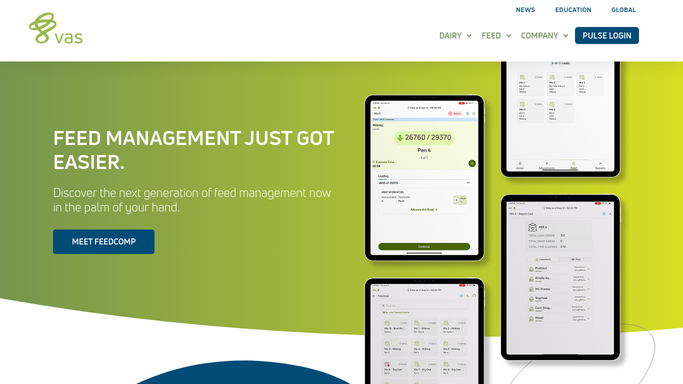
WebRun opens DairyComp 305 to check milk weights against each cow's average. - Open DairyComp 305 and pull the latest milk weight for every milking cow
- Compare each cow's current weight to her rolling 7-day average
- Flag any cow whose weight dropped more than the threshold you set, typically 15 percent or more
- Note the cow's ID, pounds lost, and days in milk for each flag
Done when Every cow with a sharp milk weight drop is listed with her ID, pounds lost, and days in milk.
-
2
Google Sheets - log flagged cows to a watch list
google.com How to Automate Google Sheets

WebRun opens Google Sheets to log flagged cows to a watch list. - Open the Milk Drop Watch List sheet
- Append each flagged cow as a new row with today's date and the details from DairyComp 305
- Mark any cow that also appeared on yesterday's list as a repeat flag
Done when The watch list sheet reflects every cow flagged today, with repeat flags marked.
-
3
Telegram - alert the herdsman with today's flags
telegram.org How to Automate Telegram

WebRun opens Telegram to alert the herdsman with today's flags. - Send the herdsman a Telegram message listing today's flagged cows by ID and pen
- Put repeat flags and the largest drops first
- Include a link to the full watch list sheet for details
Done when The herdsman has today's flagged cow list in Telegram before the next milking.
How is each run configured?
Secure by default
Connect once, stays signed in
WebRun signs in once and keeps each session in a persistent environment, so every run picks up right where it left off.
Every action is checked against this policy before it runs.
Questions, answered
Will WebRun diagnose or treat a flagged cow?
No. WebRun only flags the cow and hands the list to your herdsman. It doesn't record a diagnosis or start a treatment protocol. Every health decision stays with you and your vet.
How big does a drop have to be to get flagged?
By default, a drop of 15 percent or more from the cow's rolling 7-day average triggers a flag, and you can set your own threshold. That filters out normal day to day noise so the list only shows real changes.
What about fresh cows still building up to peak?
They're excluded from the comparison until they've had enough days in milk to establish a stable baseline, so a normal ramp up in early lactation won't trigger a false flag.
Related templates
Put this on autopilot.
Turn it on in minutes - or have our team set it up for you.