See which coaching clients logged their nutrition this week
Every Monday, WebRun checks each coaching client's Cronometer diary, records days logged and macro trends to Airtable, flags anyone under 4 logged days, and updates the client's Notion notes ahead of the next check-in.
- No credit card
- Under $0.01 per run
- Cancel anytime
How do I track which nutrition coaching clients logged their food this week?
WebRun checks each coaching client's Cronometer diary every Monday, records days logged and macro trends to Airtable, and updates the client's Notion notes ahead of the next check-in. Clients under 4 logged days get flagged, so a coach walks into every session already knowing who needs extra attention.
- Coaches walk into every check-in already knowing who's behind on logging
- Compliance trends are tracked over time, not just one week at a glance
- Client notes are current before the session starts, not during it
Built for Nutrition coaches · Registered dietitians · Personal trainers offering nutrition coaching · Online coaching businesses
What does WebRun do on every run?
The exact actions WebRun takes, in order - in plain language, so you can adjust anything.
-
WebRun signs in and gets to work
Opens
cronometer.com/loginin a real browser with your saved login - no setup, no API keys. -
1
Cronometer - check each client's weekly log
cronometer.com
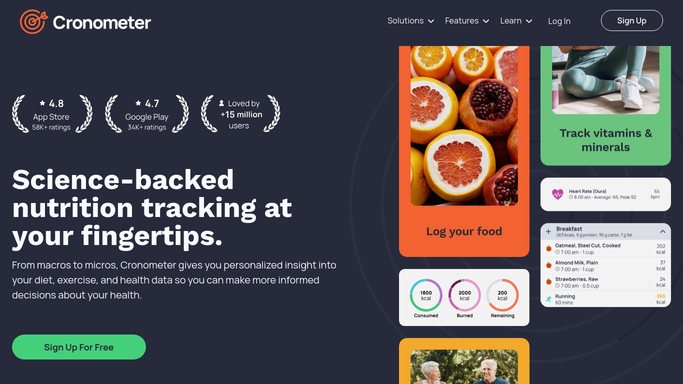
WebRun opens Cronometer to check each client's weekly log. - Open each client's shared Cronometer diary
- Count the days logged out of the last 7
- Note average calories and macro split for the week
Done when Every client's weekly log has been reviewed.
-
2
Airtable - record compliance and macro trends
airtable.com How to Automate Airtable

WebRun opens Airtable to record compliance and macro trends. - Record days logged and average macros per client
- Flag any client under 4 logged days as low compliance
- Keep a running history for trend comparison
Done when The compliance tracker reflects every client's week.
-
3
Notion - update client notes
notion.so How to Automate Notion

WebRun opens Notion to update client notes. - Update each client's coaching notes with this week's summary
- Note anything worth raising in the next check-in
- Keep prior weeks in the notes history
Done when Every client's Notion notes are current for the next check-in.
How is each run configured?
Secure by default
Connect once, stays signed in
WebRun signs in once and keeps each session in a persistent environment, so every run picks up right where it left off.
Every action is checked against this policy before it runs.
Questions, answered
Will it change a client's meal plan or targets?
No. WebRun only reads logged data and records compliance. Adjusting a meal plan or macro target is a decision made by the coach.
What counts as low compliance?
Logging fewer than 4 days in the week is flagged for a check-in conversation, though the coach decides how to follow up.
Does it see anything beyond what's already shared with the coach?
No. It only reads the diary data the client has already shared with their coach through Cronometer's client sharing feature.
Related templates
Put this on autopilot.
Turn it on in minutes - or have our team set it up for you.