Hand flagged customer conversations to a supervisor
Every morning, WebRun opens Cresta, collects yesterday's conversations that were flagged for review or scored poorly, works out which supervisor owns each agent, posts a named review list into Slack, and sends the QA lead a Telegram summary of how many reviews are outstanding.
- No credit card
- Under $0.01 per run
- Cancel anytime
How do I get flagged support conversations reviewed by a supervisor each day?
WebRun opens Cresta every morning and pulls yesterday's conversations flagged for review or scored below your threshold. It groups them by owning supervisor, posts the named review list to Slack, and sends the QA lead a Telegram summary with the outstanding backlog, so flagged calls get reviewed the same day.
- Every flagged conversation has a named reviewer by 8am
- The QA backlog is visible daily instead of at month end
- Supervisors stop hunting through Cresta for what to review
Built for contact centre managers · support QA teams · customer service supervisors · BPO operations
What does WebRun do on every run?
The exact actions WebRun takes, in order - in plain language, so you can adjust anything.
-
WebRun signs in and gets to work
Opens
cresta.comin a real browser with your saved login - no setup, no API keys. -
1
Cresta - pull conversations flagged for review
cresta.com
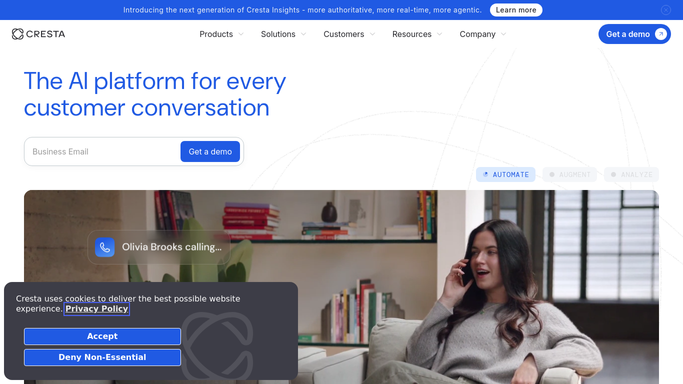
WebRun opens Cresta to pull conversations flagged for review. - Open Cresta and filter yesterday's conversations to those flagged for review
- Include conversations that scored below your quality threshold
- Capture the agent, the queue, the conversation link, and why it was flagged
- Skip conversations a supervisor has already reviewed
Done when Every conversation needing review is listed with its agent and reason.
-
2
Slack - assign each to the right supervisor
slack.com How to Automate Slack

WebRun opens Slack to assign each to the right supervisor. - Post the review list to your support quality channel in Slack
- Group the conversations under each supervisor and mention them by name
- Put the lowest scoring conversations first with a one line reason
- Keep it internal: never quote a customer's personal details in the post
Done when Every flagged conversation has a named supervisor in Slack.
-
3
Telegram - brief the QA lead
telegram.org How to Automate Telegram

WebRun opens Telegram to brief the QA lead. - Send the QA lead a short Telegram summary
- State how many conversations were flagged, how many are still unreviewed from previous days, and the worst queue
- Flag any supervisor with a growing backlog
Done when The QA lead knows today's review load and any backlog.
How is each run configured?
Secure by default
Connect once, stays signed in
WebRun signs in once and keeps each session in a persistent environment, so every run picks up right where it left off.
Every action is checked against this policy before it runs.
Questions, answered
Will it contact agents or customers?
No. WebRun posts an internal Slack list for supervisors and a Telegram note to your QA lead. It never messages an agent directly and never contacts a customer. Any customer-facing follow-up is drafted for a human to send.
Does it score or grade agents itself?
No. It reads the flags and scores already produced in Cresta and routes them. The judgement about an agent's performance stays with the supervisor who reviews the conversation.
What about customer details in the Slack post?
The post carries the conversation link, the agent, and the reason for the flag. Customer names, numbers, and personal details are left in Cresta behind your existing access controls.
Related templates
Put this on autopilot.
Turn it on in minutes - or have our team set it up for you.