Watch what candidates are saying about your company
Every night, WebRun opens your Computrabajo company profile, reads the reviews left since the last run with their star ratings and comments, records the current overall rating, writes each new review into a Notion log, and posts the negative ones to Microsoft Teams with a drafted response for a human to approve.
- No credit card
- Under $0.01 per run
- Cancel anytime
How do I monitor new reviews on my Computrabajo company profile?
WebRun watches your Computrabajo company profile every night. It reads reviews left since the last run, records the current overall rating, logs each one in Notion, and posts negative reviews to Microsoft Teams with a drafted reply, so HR responds before candidates notice a bad stretch.
- Negative reviews reach HR the night they are posted
- A drafted response waits for approval, never published on its own
- The overall rating is logged nightly so the trend is visible
Built for HR leads · employer brand managers · talent acquisition teams · operations managers
What does WebRun do on every run?
The exact actions WebRun takes, in order - in plain language, so you can adjust anything.
-
WebRun signs in and gets to work
Opens
www.computrabajo.comin a real browser with your saved login - no setup, no API keys. -
1
Computrabajo - read new reviews and the rating
computrabajo.com
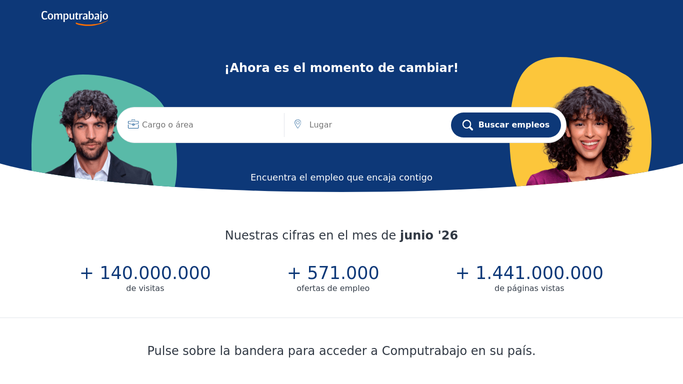
WebRun opens Computrabajo to read new reviews and the rating. - Open your company profile on Computrabajo
- Read every review posted since the last run, with its rating and comment
- Record the current overall rating and the total number of reviews
- Note which job postings or teams the comments refer to
- Read only. WebRun never posts a public reply on the profile
Done when Every review since the last run has been read and the current rating recorded.
-
2
Notion - log reviews and rating history
notion.so How to Automate Notion

WebRun opens Notion to log reviews and rating history. - Add each new review to the employer brand log with its date, rating and text
- Append tonight's overall rating so the trend is visible over months
- Tag recurring themes such as pay, interviews or management
- Mark which reviews have had a response and which are still open
Done when The Notion log holds every review and tonight's rating.
-
3
Microsoft Teams - flag the negative ones
microsoft.com How to Automate Microsoft Teams

WebRun opens Microsoft Teams to flag the negative ones. - Post the negative reviews to the HR channel the night they appear
- Quote the comment and give the rating and the date
- Attach a calm, drafted response for HR to edit, and say plainly that nothing is published until a human posts it
- Say whether the overall rating moved since last night
Done when HR has tonight's negative reviews with a draft response ready.
How is each run configured?
Secure by default
Connect once, stays signed in
WebRun signs in once and keeps each session in a persistent environment, so every run picks up right where it left off.
Every action is checked against this policy before it runs.
Questions, answered
Will it reply to a review publicly?
No. Nothing is published. WebRun drafts a response and posts it to your HR channel in Teams, and a human edits and publishes it on Computrabajo, so no reply appears in your company name unapproved.
How quickly do I hear about a bad review?
The same night it appears. WebRun runs every evening and posts negative reviews straight to Teams, so a bad run gets a considered response before candidates read it.
Can it see how the rating is trending?
Yes. Each run appends the current overall rating and review count to the Notion log, so you can see whether the score is moving and which themes keep coming back.
Related templates
Put this on autopilot.
Turn it on in minutes - or have our team set it up for you.