Make sure a new deal is actually ready to work
When a new deal is added to CompanyHub, WebRun checks that the required fields and a next step are filled in before the deal counts as actively working, books the kickoff call on Google Calendar once the deal passes that check, and alerts Microsoft Teams the moment a required field is missing, so a new deal never sits in the pipeline half set up without anyone noticing.
- No credit card
- Under $0.01 per run
- Cancel anytime
How do I make sure new CompanyHub deals are set up correctly?
When a new deal lands in CompanyHub, WebRun checks that the required fields and a next step are filled in before anything else happens. It books the kickoff call on Google Calendar once the deal passes that check and alerts Microsoft Teams the moment a required field is missing, so a new deal never sits half set up without anyone noticing.
- Every new deal gets checked before it sits idle from a data gap
- Kickoff calls only get booked on properly set up deals
- The team is alerted the moment something needs fixing
Built for SMB sales teams · sales operations · CRM admins · sales managers
What does WebRun do on every run?
The exact actions WebRun takes, in order - in plain language, so you can adjust anything.
-
WebRun signs in and gets to work
Opens
app.companyhub.comin a real browser with your saved login - no setup, no API keys. -
1
CompanyHub - check new deal setup completeness
companyhub.com
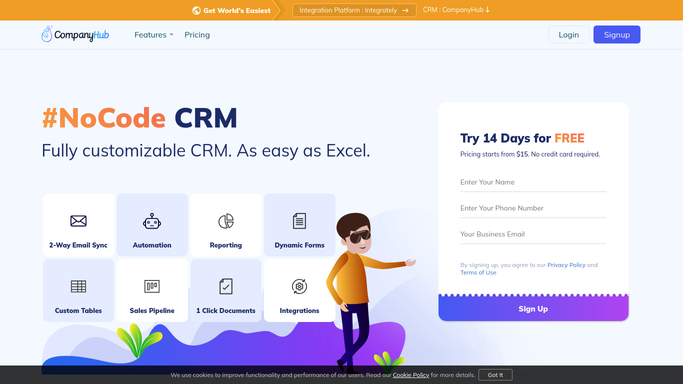
WebRun opens CompanyHub to check new deal setup completeness. - Open CompanyHub and review the deal just added
- Check that required fields and a next step are filled in
- Flag any of those fields left empty
Done when The new deal has a pass or fail setup status.
-
2
Google Calendar - book the kickoff call
calendar.google.com How to Automate Google Calendar

WebRun opens Google Calendar to book the kickoff call. - Book the kickoff call once the deal passes the setup check
- Set it for the next available working slot
- Add the deal name and value to the event description
Done when A kickoff call is booked for every properly set up new deal.
-
3
Microsoft Teams - alert on missing fields
microsoft.com How to Automate Microsoft Teams

WebRun opens Microsoft Teams to alert on missing fields. - Post an alert when a required field is missing on a new deal
- Name the deal and the missing field
- Skip the alert when the deal is fully set up
Done when The team has been alerted to any new deal missing a required field.
How is each run configured?
Secure by default
Connect once, stays signed in
WebRun signs in once and keeps each session in a persistent environment, so every run picks up right where it left off.
Every action is checked against this policy before it runs.
Questions, answered
Does it fill in the missing field itself?
No. WebRun only checks and reports. Filling in a required field is left to the rep who owns the deal.
Does the kickoff get booked with missing fields?
No. The kickoff call is only booked once the deal passes the setup check, so a half set up deal gets flagged first instead of a meeting going on the calendar too early.
What counts as a required field?
The fields your team has defined as necessary before a deal counts as actively working, along with a next step. That gap is what triggers the Microsoft Teams alert.
Related templates
Put this on autopilot.
Turn it on in minutes - or have our team set it up for you.