Keep a dated record of your portfolio value
Every night, WebRun opens CoinMarketCap, reads your portfolio holdings with each coin's price, quantity, and value, captures the total and the allocation split, writes a dated row per coin into Airtable, and updates a running value summary in Notion.
- No credit card
- Under $0.01 per run
- Cancel anytime
How do I keep a daily record of what my crypto portfolio is worth?
WebRun opens your CoinMarketCap portfolio every night and records each holding with its quantity, price, value, and allocation share, plus the portfolio total. It writes a dated row per coin into Airtable and updates a running summary in Notion, so performance is visible without screenshotting the app.
- A dated value history builds up night after night
- Allocation by coin is visible without opening the app
- Earlier rows are never overwritten, so the chart stays honest
Built for crypto investors · long term holders · treasury managers · finance hobbyists
What does WebRun do on every run?
The exact actions WebRun takes, in order - in plain language, so you can adjust anything.
-
WebRun signs in and gets to work
Opens
coinmarketcap.comin a real browser with your saved login - no setup, no API keys. -
1
CoinMarketCap - read holdings and total value
coinmarketcap.com
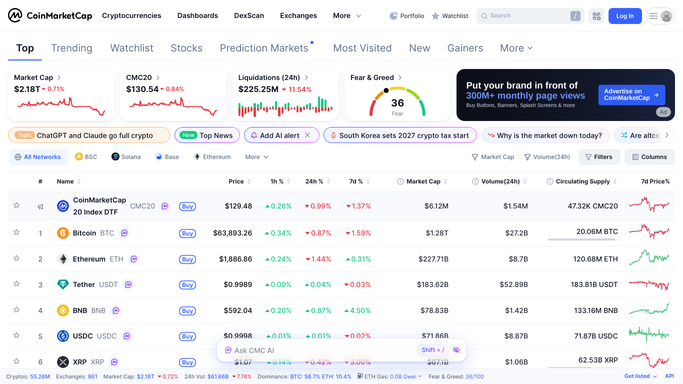
WebRun opens CoinMarketCap to read holdings and total value. - Sign in to CoinMarketCap and open your portfolio
- Capture each holding with its coin, quantity, current price, and value
- Record the portfolio total and each coin's share of it
- Note any coin on your watchlist that you do not yet hold
Done when Tonight's holdings, prices, values, and portfolio total are all recorded.
-
2
Airtable - write the dated value rows
airtable.com How to Automate Airtable

WebRun opens Airtable to write the dated value rows. - Open the portfolio history base in Airtable
- Add a dated row per coin with quantity, price, value, and allocation share
- Add one dated row for the portfolio total
- Never overwrite an earlier date, so the history keeps growing
Done when Airtable holds tonight's dated rows alongside every previous night.
-
3
Notion - update the running summary
notion.so How to Automate Notion

WebRun opens Notion to update the running summary. - Update the portfolio page in Notion with tonight's total value
- Show the change since yesterday, since last week, and since the start of the month
- List the largest holdings by allocation share
Done when The Notion summary shows tonight's value and the recent movement.
How is each run configured?
Secure by default
Connect once, stays signed in
WebRun signs in once and keeps each session in a persistent environment, so every run picks up right where it left off.
Every action is checked against this policy before it runs.
Questions, answered
Will it trade or move any of my crypto?
No. WebRun only reads your CoinMarketCap portfolio and writes numbers into Airtable and Notion. It never buys, sells, transfers, or connects to an exchange or a wallet.
Does it give me investment advice?
No. The run records what your holdings were worth on each date and nothing more. It offers no recommendations, targets, or opinions on what to buy or sell.
What happens if I add or sell a coin?
It reads your live portfolio each night, so new holdings appear in the next row and sold ones stop being written. Earlier dated rows are never overwritten.
Related templates
Put this on autopilot.
Turn it on in minutes - or have our team set it up for you.