Get pinged when a coin makes a big move
Every hour, WebRun opens CoinGecko, reads the current price and 24-hour change for each coin on your watchlist, and when a move crosses the percentage threshold you set it sends the coin, the price, the move, and the volume to WhatsApp and to your Telegram channel.
- No credit card
- Under $0.01 per run
- Cancel anytime
How do I get alerted when a coin on my watchlist moves sharply?
WebRun checks your CoinGecko watchlist every hour and reads each coin's price, hourly and daily change, and volume. When a move crosses the percentage you set, it sends the coin, the price, and the size of the move to WhatsApp and logs the same alert in your Telegram channel.
- Sharp moves reach your phone within the hour they happen
- A timestamped Telegram log of every alert to review later
- No exchange or wallet access is ever required
Built for crypto investors · portfolio trackers · treasury teams · market analysts
What does WebRun do on every run?
The exact actions WebRun takes, in order - in plain language, so you can adjust anything.
-
WebRun signs in and gets to work
Opens
www.coingecko.comin a real browser with your saved login - no setup, no API keys. -
1
CoinGecko - check the watchlist for big moves
coingecko.com
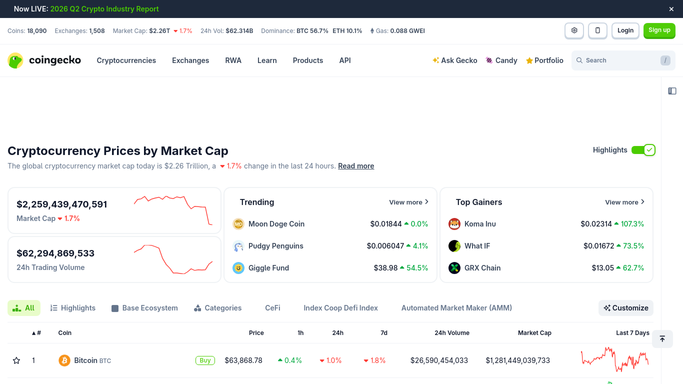
WebRun opens CoinGecko to check the watchlist for big moves. - Open CoinGecko and go to your watchlist
- Read the current price, the 1-hour change, the 24-hour change, and the 24-hour volume for each coin
- Keep only the coins whose move crosses the percentage threshold you set
- Skip any coin already alerted in the last few hours unless the move has grown
Done when Every watchlist coin past the move threshold is listed with its price and volume.
-
2
WhatsApp - send the move alert
whatsapp.com How to Automate WhatsApp

WebRun opens WhatsApp to send the move alert. - Send a WhatsApp message to yourself or your internal group for each qualifying move
- State the coin, the current price, the size and direction of the move, and the 24-hour volume
- Keep it to the observed facts. Never add a buy, sell, or hold recommendation
- Stay silent for the hour when nothing crosses the threshold
Done when Every qualifying move has been sent as a factual WhatsApp alert.
-
3
Telegram - post to your alerts channel
telegram.org How to Automate Telegram

WebRun opens Telegram to post to your alerts channel. - Post the same alert to your private Telegram alerts channel so there is a searchable log
- Add the time of the reading so the history is easy to scan later
- Group several coins into one message when more than three move in the same hour
- Never place, size, or execute a trade on any exchange
Done when The alerts channel holds a timestamped record of every move.
How is each run configured?
Secure by default
Connect once, stays signed in
WebRun signs in once and keeps each session in a persistent environment, so every run picks up right where it left off.
Every action is checked against this policy before it runs.
Questions, answered
Will it trade or move funds?
No. WebRun never connects to an exchange or a wallet, never places an order, and never transfers funds. It reads public market data on CoinGecko and sends you a message. Every trade stays a decision you make yourself.
Does it give buy or sell advice?
No. Each alert states only what was observed: the coin, the price, the size of the move, and the volume. WebRun is not a financial adviser and adds no recommendation of any kind.
How do I stop it alerting constantly?
Set the threshold higher and the quiet period longer. By default a coin is not alerted twice within a few hours unless the move grows, so a volatile day does not turn into a flood of near-identical messages.
Related templates
Put this on autopilot.
Turn it on in minutes - or have our team set it up for you.