Keep a trading journal of every position you closed
Every Monday, WebRun signs in to CMC Markets, reads the statement of positions closed in the last seven days, records the instrument, direction, entry and exit price, profit or loss, commission, and holding costs, appends each trade to your Google Sheet journal, and writes a weekly review page in Notion.
- No credit card
- Under $0.01 per run
- Cancel anytime
How do I keep a trading journal of my closed positions?
WebRun reads your closed CMC Markets positions every Monday, capturing instrument, direction, entry and exit price, profit or loss, commission, and holding costs. It appends each trade to a Google Sheets journal and writes a weekly review in Notion, so a monthly review runs on data rather than memory.
- Every closed trade is journalled with costs, not just profit or loss
- The monthly review runs on a complete sheet instead of memory
- Re-running the week never creates a duplicate row
Built for active traders · part-time traders · trading coaches · investment clubs
What does WebRun do on every run?
The exact actions WebRun takes, in order - in plain language, so you can adjust anything.
-
WebRun signs in and gets to work
Opens
www.cmcmarkets.comin a real browser with your saved login - no setup, no API keys. -
1
CMC Markets - read last week's closed trades
cmcmarkets.com
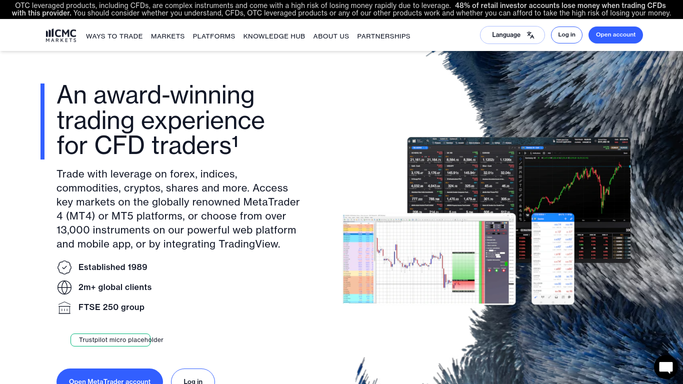
WebRun opens CMC Markets to read last week's closed trades. - Sign in to CMC Markets and open the statement covering the last seven days
- List every position closed in that period with its instrument and direction
- Record the entry price, exit price, size, and the realised profit or loss for each
- Capture the commission and any holding costs charged against the trade
Done when Every position closed last week is captured with its prices, result, and costs.
-
2
Google Sheets - append each trade to the journal
google.com How to Automate Google Sheets

WebRun opens Google Sheets to append each trade to the journal. - Append one row per closed trade to your journal sheet with date, instrument, direction, and size
- Fill the entry price, exit price, profit or loss, commission, and holding costs columns
- Skip any trade already recorded so a re-run never doubles a row
- Leave your own notes and tag columns untouched for you to fill in
Done when Every closed trade from last week has exactly one row in the journal sheet.
-
3
Notion - write the weekly review
notion.so How to Automate Notion

WebRun opens Notion to write the weekly review. - Write a dated weekly review page with the number of trades closed and the net result after costs
- Break the week down by instrument so concentration is visible
- Note how much of the result went to commission and holding costs
- Keep it factual. WebRun reports what happened and never suggests what to trade next
Done when Last week's review page is in Notion with the net result after costs.
How is each run configured?
Secure by default
Connect once, stays signed in
WebRun signs in once and keeps each session in a persistent environment, so every run picks up right where it left off.
Every action is checked against this policy before it runs.
Questions, answered
Can it place or close a trade?
No. WebRun only reads your closed position statement and writes it into your own sheet and Notion page. It never opens, closes, or modifies a position, moves money, or changes any account setting.
Does it give trading advice?
No. The journal records what already happened, including costs. It does not recommend instruments, sizes, or entries, and the weekly review stays a factual summary of your own trades.
What if I re-run it on the same week?
Trades already in the sheet are skipped by date and reference, so the journal never gains a duplicate row and your own notes columns stay exactly as you left them.
Related templates
Put this on autopilot.
Turn it on in minutes - or have our team set it up for you.