Send birthday and loyalty offers to clients
Every Monday, WebRun scans Mindbody for clients with birthdays this week and for clients who have just hit a visit or spend milestone, drafts a personalised offer email for each via Mailchimp, and sends the batch to Slack for your review before anything is sent.
- No credit card
- Under $0.01 per run
- Cancel anytime
How can I automatically send birthday and loyalty offers to clients?
Every Monday, WebRun scans Mindbody for clients with birthdays this week and for clients who have just hit a visit or spend milestone, drafts a personalised offer email for each via Mailchimp, and posts the batch to Slack for your review - making every client feel remembered without any manual effort.
- Every client birthday and loyalty milestone acknowledged automatically
- Personalised offers drafted without manual list-checking
- Client retention improved through consistent, timely recognition
Built for salon and spa owners · fitness studio managers · wellness businesses · local service businesses with repeat clients
What does WebRun do on every run?
The exact actions WebRun takes, in order - in plain language, so you can adjust anything.
-
WebRun signs in and gets to work
Opens
clients.mindbodyonline.comin a real browser with your saved login - no setup, no API keys. -
1
Mindbody - find birthday and milestone clients
mindbodyonline.com
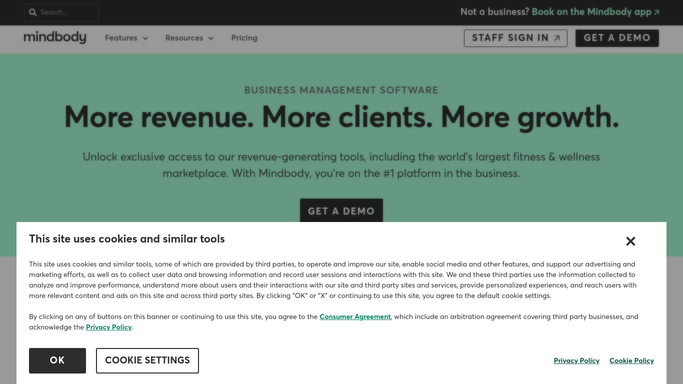
WebRun opens Mindbody to find birthday and milestone clients. - Open Mindbody and filter clients by birthday falling within the current week
- Also filter for clients who have just crossed a loyalty threshold - for example 10 visits or £500 spent
- Capture each client's name, email, milestone type, and relevant stats
Done when A list of clients deserving an offer this week is ready with their details and reason.
-
2
Mailchimp - draft personalised offer emails
mailchimp.com How to Automate Mailchimp

WebRun opens Mailchimp to draft personalised offer emails. - Draft a personalised email for each client: birthday or milestone acknowledgement, a special offer (discount, free add-on, or upgrade), and a booking link
- Keep the tone warm and specific - mention their milestone number or birthday
- Save each as a Mailchimp draft - do not send or schedule yet
Done when A draft Mailchimp email with a personal offer exists for every flagged client.
-
3
Slack - post batch for your approval
slack.com How to Automate Slack

WebRun opens Slack to post batch for your approval. - Post a Slack summary showing who is in this week's batch and why
- Include a link to the Mailchimp drafts for your final review
Done when You are notified in Slack and can send the campaign from Mailchimp when ready.
How is each run configured?
Secure by default
Connect once, stays signed in
WebRun signs in once and keeps each session in a persistent environment, so every run picks up right where it left off.
Every action is checked against this policy before it runs.
Questions, answered
Will it send birthday emails automatically?
No. Every offer email is a Mailchimp draft surfaced in Slack for your review. You send it when you're happy with it.
What counts as a loyalty milestone?
You define the thresholds - for example every 10 visits, every £500 spent, or on a one-year anniversary. WebRun watches for those and triggers a draft when a client crosses one.
Can I use different offers for birthdays versus loyalty milestones?
Yes. Give WebRun a different offer template for each trigger type and it will apply the right one automatically.
Related templates
Put this on autopilot.
Turn it on in minutes - or have our team set it up for you.