Run your standup from ClickUp before anyone joins
Every weekday morning, WebRun opens your ClickUp space, reads what changed status in the last 24 hours, what is due today, and what has sat in a blocked status, writes it up as a short standup digest, posts it to your team Telegram group, and queues a Twilio SMS to each blocked task owner for you to approve before it goes out.
- No credit card
- Under $0.01 per run
- Cancel anytime
How do I automate a daily standup report from my project tracker?
WebRun reads your ClickUp space every weekday morning and writes the standup for you: what changed status in the last 24 hours, what is due today, and what has been blocked and for how long. It posts the digest to Telegram and queues an SMS nudge to blocked owners for your approval.
- The standup is written before anyone joins the call
- Blocked tasks surface with their age in days
- SMS nudges wait for approval and only go to internal numbers
Built for engineering managers · agency teams · remote teams · project managers
What does WebRun do on every run?
The exact actions WebRun takes, in order - in plain language, so you can adjust anything.
-
WebRun signs in and gets to work
Opens
app.clickup.comin a real browser with your saved login - no setup, no API keys. -
1
ClickUp - read yesterday's task movement
clickup.com
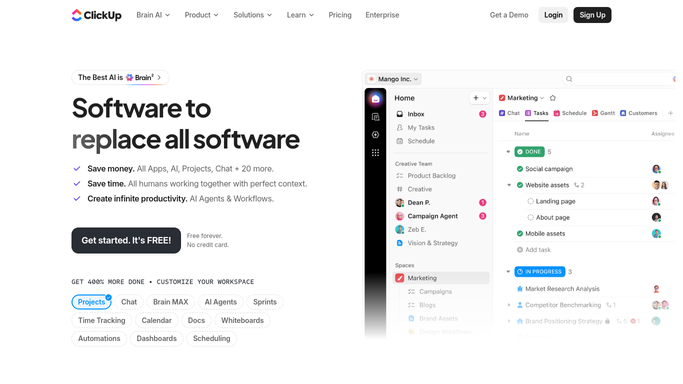
WebRun opens ClickUp to read yesterday's task movement. - Open ClickUp and go to the space or list your team works from
- Capture every task that changed status in the last 24 hours, with its old status, new status, and assignee
- Capture every task with a due date of today and note who owns it
- Capture every task sitting in a blocked or waiting status, and how many days it has been there
- Ignore tasks in archived lists and templates
Done when Moved, due today, and blocked tasks are each listed with an owner.
-
2
Telegram - post the standup digest
telegram.org How to Automate Telegram

WebRun opens Telegram to post the standup digest. - Post the digest to your team Telegram group in three short sections: moved, due today, blocked
- Name the assignee against every item so nothing is orphaned
- Put the longest-blocked task at the top of the blocked section with its age in days
- Keep the whole post short enough to read on a phone before the call starts
Done when The standup digest is in the Telegram group before the meeting.
-
3
Twilio - queue a nudge to blocked owners
twilio.com How to Automate Twilio

WebRun opens Twilio to queue a nudge to blocked owners. - Draft one short SMS per blocked task owner naming the task and how long it has been stuck
- Queue every message in Twilio for your approval instead of sending it. Nothing leaves until you release it
- Only ever use numbers on your saved internal team list. Customer numbers are never messaged
- Skip owners whose blocker was cleared overnight
Done when A nudge is queued and awaiting approval for every long-blocked task owner.
How is each run configured?
Secure by default
Connect once, stays signed in
WebRun signs in once and keeps each session in a persistent environment, so every run picks up right where it left off.
Every action is checked against this policy before it runs.
Questions, answered
Will it text people without my approval?
No. Every SMS is queued in Twilio and waits for you to release it, and only numbers on your saved internal team list are ever used. Customers are never messaged by this workflow.
Does it change anything in ClickUp?
No. WebRun reads tasks, statuses and due dates. It never edits a task, moves a status, reassigns work, or comments, so your board looks exactly as your team left it.
What if someone unblocks a task overnight?
The morning run reads live ClickUp statuses, so a task cleared overnight is reported as moved rather than blocked, and its owner gets no nudge.
Related templates
Put this on autopilot.
Turn it on in minutes - or have our team set it up for you.