Turn Chatra chats into a clean lead list
Every morning, WebRun opens Chatra, reads yesterday's conversations and offline messages, pulls out each visitor's name, email, page, and what they asked, creates or updates a row in your Airtable leads base, then sends you a short Telegram count of what came in overnight.
- No credit card
- Under $0.01 per run
- Cancel anytime
How do I log my live chat conversations as leads automatically?
WebRun opens Chatra every morning and reads the last 24 hours of conversations and offline messages. It pulls each visitor's name, email, source page, and question into your Airtable leads base, updating returning visitors instead of duplicating them, then sends a Telegram count of new leads and unanswered chats.
- Every chat visitor lands in Airtable with their question, not just a transcript
- Returning visitors update one record instead of creating duplicates
- Offline messages left overnight are flagged before the day starts
Built for support teams · ecommerce stores · SaaS companies · small business owners
What does WebRun do on every run?
The exact actions WebRun takes, in order - in plain language, so you can adjust anything.
-
WebRun signs in and gets to work
Opens
chatra.comin a real browser with your saved login - no setup, no API keys. -
1
Chatra - read yesterday's conversations
chatra.com
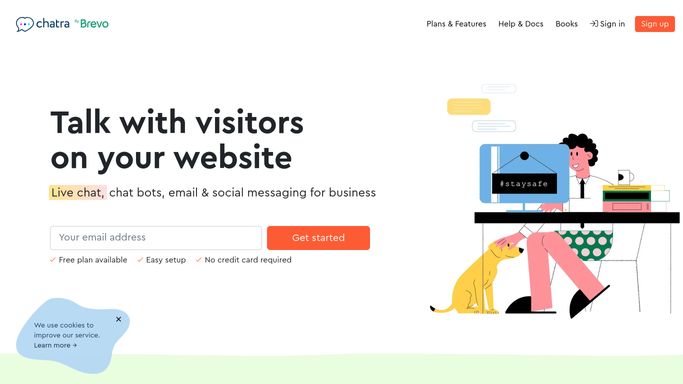
WebRun opens Chatra to read yesterday's conversations. - Open Chatra and filter conversations to the last 24 hours
- Include offline messages left while nobody was on duty
- Capture the visitor name, email, page they chatted from, and the question they asked
- Note whether an agent replied and how the conversation ended
Done when Every conversation and offline message from the last 24 hours is captured.
-
2
Airtable - log each visitor as a lead
airtable.com How to Automate Airtable

WebRun opens Airtable to log each visitor as a lead. - Open your leads base and search for each visitor by email
- Update the existing record when the visitor has chatted before, adding the new question to their notes
- Create a new row for first-time visitors with name, email, source page, question, and date
- Set the status field to New for anyone who did not get an agent reply
Done when Every visitor has a matching Airtable row and no duplicate was created.
-
3
Telegram - report the overnight count
telegram.org How to Automate Telegram

WebRun opens Telegram to report the overnight count. - Send a short count of new leads, returning visitors, and unanswered chats
- List the three most common question topics from the last 24 hours
- Flag any offline message that still has no reply
Done when You have the overnight lead count and any unanswered chats in Telegram.
How is each run configured?
Secure by default
Connect once, stays signed in
WebRun signs in once and keeps each session in a persistent environment, so every run picks up right where it left off.
Every action is checked against this policy before it runs.
Questions, answered
Will it reply to visitors in Chatra?
No. WebRun only reads conversations. It never sends a chat message, an auto-reply, or an email to a visitor. Answering stays with your agents.
What stops the same person being logged twice?
WebRun searches Airtable by email before writing. A returning visitor gets their existing row updated with the new question instead of a second record.
Does it catch messages left after hours?
Yes. Offline messages left while nobody was on duty are included in the same 24-hour sweep, and any that still have no reply are flagged in the Telegram summary.
Related templates
Put this on autopilot.
Turn it on in minutes - or have our team set it up for you.