Secure sponsorship renewals before the window closes
Every Monday, WebRun opens GrowthZone, finds sponsorship agreements expiring within 60 days, drafts a personalized renewal proposal email in Gmail for each sponsor, logs the status to a Google Sheet, and posts the pipeline summary to staff in Slack.
- No credit card
- Under $0.01 per run
- Cancel anytime
How do I automatically follow up on chamber sponsorship renewals?
Every Monday, WebRun opens GrowthZone, finds sponsorship agreements expiring within 60 days, and drafts a personalized renewal proposal in Gmail for each sponsor. It logs the pipeline status to Google Sheets and posts a weekly summary in Slack. Staff review every proposal before it goes out.
- Every expiring sponsorship gets a personalized renewal proposal drafted 60 days before lapse
- The development team sees the full pipeline value at stake each Monday in Slack
- Declined or closed sponsorships are automatically skipped in future runs
Built for chambers of commerce · development directors · sponsorship coordinators · chamber executives
What does WebRun do on every run?
The exact actions WebRun takes, in order - in plain language, so you can adjust anything.
-
WebRun signs in and gets to work
Opens
app.growthzone.comin a real browser with your saved login - no setup, no API keys. -
1
GrowthZone - find expiring sponsorship agreements
growthzone.com
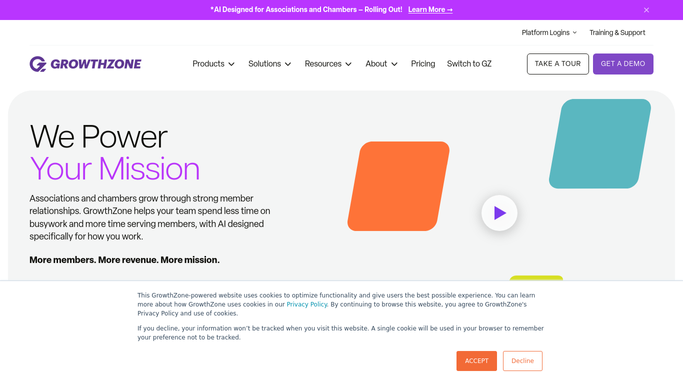
WebRun opens GrowthZone to find expiring sponsorship agreements. - Open GrowthZone and navigate to the Sponsorships or Opportunities section
- Filter for active sponsorships with agreements expiring within the next 60 days
- Capture each sponsor's name, contact, current sponsorship tier, total annual value, and expiration date
- Skip any sponsor who already has a renewal proposal sent this month
Done when Every expiring sponsorship is listed with its details and sponsor contact.
-
2
Gmail - draft personalized renewal proposals
gmail.com How to Automate Gmail

WebRun opens Gmail to draft personalized renewal proposals. - Draft a personalized renewal proposal for each sponsor, referencing their current tier and the upcoming expiration date
- Highlight two or three benefits and outcomes from the current sponsorship year
- Include a summary of renewal options and pricing for the next year
- Leave every draft unsent in the Drafts folder for staff review before sending
Done when A draft renewal proposal exists in Gmail for every expiring sponsorship.
-
3
Google Sheets - log renewal pipeline status
google.com How to Automate Google Sheets

WebRun opens Google Sheets to log renewal pipeline status. - Update the sponsorship renewal pipeline sheet with each sponsor's name, tier, value, expiration date, and current renewal status
- Mark any newly identified expiring sponsorship as Outreach Pending
Done when The Google Sheet pipeline is up to date with every expiring sponsorship.
-
4
Slack - post sponsorship pipeline summary to staff
slack.com How to Automate Slack

WebRun opens Slack to post sponsorship pipeline summary to staff. - Post a weekly sponsorship pipeline summary to the development team channel, showing total value at stake, number of renewals due, and how many drafts are queued
- Flag sponsors within 14 days of expiry for priority outreach
Done when Staff have this week's sponsorship renewal pipeline summary in Slack.
How is each run configured?
Secure by default
Connect once, stays signed in
WebRun signs in once and keeps each session in a persistent environment, so every run picks up right where it left off.
Every action is checked against this policy before it runs.
Questions, answered
Will it send the renewal proposal to sponsors without staff approval?
No. Every proposal is drafted in Gmail and left unsent. Staff review and personalize each proposal before it goes to a sponsor, ensuring every outreach reflects the chamber's relationships and voice.
How far in advance does it start the renewal process?
It identifies sponsorships expiring within 60 days each week, and flags those within 14 days for priority outreach, giving the development team enough time to negotiate and close before agreements lapse.
What if a sponsor has already signaled they will not renew?
Staff can update the renewal status in the Google Sheet to reflect that. WebRun reads the status column each run and skips any sponsorship already marked as closed or declined.
Related templates
Put this on autopilot.
Turn it on in minutes - or have our team set it up for you.