Route member referral leads to the right person instantly
When a referral lead is submitted through GrowthZone, WebRun reads the lead's industry and service need, searches the member directory for the best-fit member businesses, logs the match to a Google Sheet, and posts a routing alert to staff in Slack so the lead reaches the right member quickly.
- No credit card
- Under $0.01 per run
- Cancel anytime
How do I automatically route member referral leads to the right chamber member?
When a referral lead arrives through GrowthZone, WebRun reads the service need, matches the lead to the best-fit member businesses in the directory, logs the match to a Google Sheet, and posts a routing alert to staff in Slack. Staff make the introduction. No lead reaches a member or a contact without staff involvement.
- Every inbound referral lead is matched and routed to staff within minutes of submission
- A running Google Sheet log tracks all leads and their routing status
- No referral lead sits unrouted because it landed in the wrong inbox
Built for chambers of commerce · membership directors · business development teams · chamber staff
What does WebRun do on every run?
The exact actions WebRun takes, in order - in plain language, so you can adjust anything.
-
WebRun signs in and gets to work
Opens
app.growthzone.comin a real browser with your saved login - no setup, no API keys. -
1
GrowthZone - detect inbound referral lead
growthzone.com
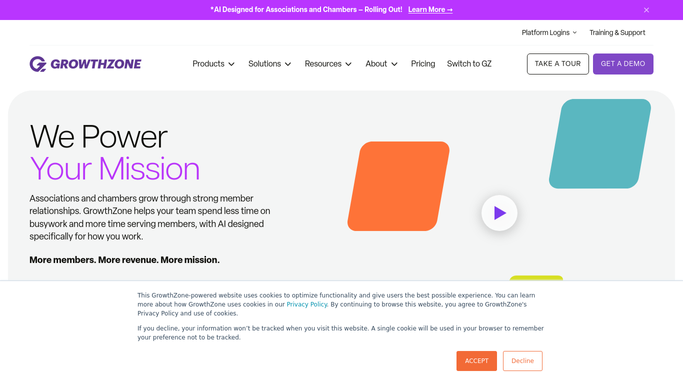
WebRun opens GrowthZone to detect inbound referral lead. - Open GrowthZone and check for new referral lead submissions since the last run
- Capture the lead's name, contact details, industry or service category requested, and any notes they submitted
- Search the member directory for members whose business category matches the lead's service need
- Select the top one to three member matches based on category alignment and membership tier
Done when Each new referral lead is matched to one to three member businesses.
-
2
Google Sheets - log lead and record matched member
google.com How to Automate Google Sheets

WebRun opens Google Sheets to log lead and record matched member. - Append a row to the Referral Lead Log sheet with the lead's name, service need, matched member names, and routing date
- Mark the row status as Routed
Done when Every new referral lead is logged in Google Sheets with its matched members.
-
3
Slack - post routing alert to staff
slack.com How to Automate Slack

WebRun opens Slack to post routing alert to staff. - Post a routing alert to the membership team channel naming the lead, their service need, and the matched member businesses
- Ask staff to contact the matched members and make the introduction
Done when Staff are alerted in Slack and can make the member introduction immediately.
How is each run configured?
Secure by default
Connect once, stays signed in
WebRun signs in once and keeps each session in a persistent environment, so every run picks up right where it left off.
Every action is checked against this policy before it runs.
Questions, answered
Will it contact the lead or the member automatically?
No. WebRun only posts the routing alert to staff in Slack. All introductions and member contact are handled by staff, so the chamber controls every external communication.
How does it match a lead to the right member?
It reads the lead's requested service category and searches GrowthZone's member directory for members whose business category matches. Staff can override the match before making the introduction.
Where can I see all the referral leads that came in this month?
Every lead is logged in the Referral Lead Log Google Sheet with the matched members and routing status, giving staff a running record of all inbound referrals and their outcomes.
Related templates
Put this on autopilot.
Turn it on in minutes - or have our team set it up for you.