Produce your weekly member spotlight content without lifting a pen
Every Monday, WebRun opens GrowthZone, selects members who have not yet been featured in a spotlight, pulls their business profile details, drafts a spotlight write-up for the newsletter or social media, and posts the draft digest to staff in Slack for review.
- No credit card
- Under $0.01 per run
- Cancel anytime
How do I automatically create weekly member spotlight content for the chamber newsletter?
Every Monday, WebRun opens GrowthZone, picks members due for a spotlight, collects their business profile details, and drafts an 80 to 120-word newsletter write-up in Gmail for each. A Slack digest points the communications team to the drafts so they can review, edit, and publish with minimal effort.
- Weekly spotlight content is drafted automatically, saving staff an hour or more of writing each week
- Newer members get early visibility, improving their perception of chamber membership value
- Staff review polished drafts rather than writing from scratch
Built for chambers of commerce · communications coordinators · membership directors · association marketing teams
What does WebRun do on every run?
The exact actions WebRun takes, in order - in plain language, so you can adjust anything.
-
WebRun signs in and gets to work
Opens
app.growthzone.comin a real browser with your saved login - no setup, no API keys. -
1
GrowthZone - select members due for a spotlight
growthzone.com
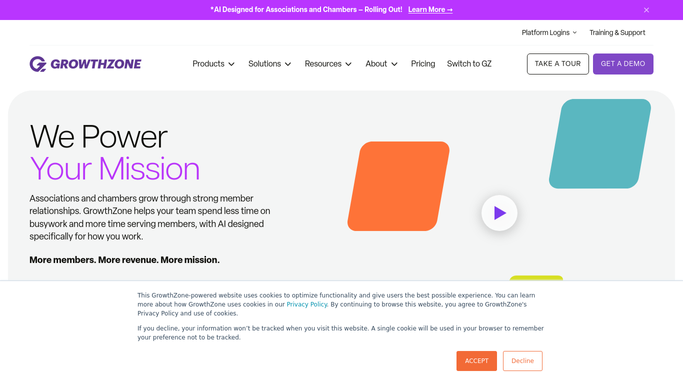
WebRun opens GrowthZone to select members due for a spotlight. - Open GrowthZone and navigate to the Members directory
- Filter for members who have not been featured in a spotlight in the past 6 months
- Prioritize newer members who have not yet had any spotlight coverage
- Capture the business name, description, industry, website, and any news or milestones noted in the member record
Done when One to three members are selected for this week's spotlight with their profile details collected.
-
2
Gmail - draft spotlight write-up for newsletter or email
gmail.com How to Automate Gmail

WebRun opens Gmail to draft spotlight write-up for newsletter or email. - Draft a short, engaging spotlight write-up for each selected member, covering what the business does, who it serves, and any notable recent milestone
- Format it for the chamber newsletter: 80 to 120 words, a headline, and a call to visit the member's website
- Leave the draft unsent in the Drafts folder for staff to review, edit, and send or publish
Done when A draft spotlight write-up exists in Gmail for each selected member.
-
3
Slack - post digest of spotlight drafts to staff
slack.com How to Automate Slack

WebRun opens Slack to post digest of spotlight drafts to staff. - Post a digest to the communications channel summarizing this week's spotlight candidates, their business types, and links to the Gmail drafts
- Ask the communications lead to review and schedule the content
Done when Staff have this week's spotlight digest in Slack and know which drafts to review.
How is each run configured?
Secure by default
Connect once, stays signed in
WebRun signs in once and keeps each session in a persistent environment, so every run picks up right where it left off.
Every action is checked against this policy before it runs.
Questions, answered
Will it publish or send the spotlight content without staff review?
No. Every spotlight write-up is drafted in Gmail and left unsent. Staff review, edit if needed, and publish the content themselves, so the chamber controls every public-facing message.
How does it pick which members to feature?
It prioritizes members who have not had a spotlight in the past 6 months and favors newer members who have not been featured at all. Staff can adjust the selection from the Slack digest before the content is published.
Can it create social media posts as well as newsletter content?
The default format is newsletter-ready copy at 80 to 120 words. Staff can adapt the draft for social media, or a second workflow can be configured to format the same content as shorter social posts.
Related templates
Put this on autopilot.
Turn it on in minutes - or have our team set it up for you.