Get engine fault code alerts before a breakdown stops a load
Every morning, WebRun opens Motive, scans the fault code feed for any new diagnostic trouble codes logged since the last run, groups them by vehicle and severity, and posts an alert to your maintenance Slack channel so your team can schedule repairs before a truck goes out of service on the road.
- No credit card
- Under $0.01 per run
- Cancel anytime
How do I get automatic engine fault code alerts from Motive for my fleet?
WebRun scans Motive every morning for new engine fault codes logged across your entire fleet in the past 24 hours. It groups them by vehicle and severity and posts a clear alert to your maintenance Slack channel, so your mechanics can schedule repairs before a truck breaks down on the road mid-load.
- Maintenance team sees every new fault code ranked by severity before dispatch begins
- Critical codes are flagged for same-day action, preventing on-road breakdowns
- Recurring unresolved codes stay visible until a mechanic clears them
Built for trucking carriers · fleet maintenance managers · private fleets · owner-operators
What does WebRun do on every run?
The exact actions WebRun takes, in order - in plain language, so you can adjust anything.
-
WebRun signs in and gets to work
Opens
app.gomotive.comin a real browser with your saved login - no setup, no API keys. -
1
Motive - scan new engine fault codes
gomotive.com How to Automate Motive
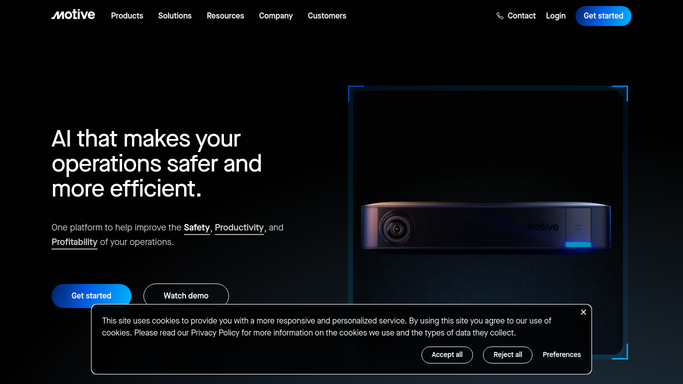
WebRun opens Motive to scan new engine fault codes. - Open Motive and navigate to the Vehicle Health or Fault Code section
- Filter to fault codes that were newly triggered in the last 24 hours
- Capture vehicle unit, fault code, description, and severity classification for each
- Flag any codes classified as critical or emission-related as highest priority
Done when All new fault codes from the last 24 hours are captured with vehicle and severity details.
-
2
Slack - alert maintenance team with vehicle and code details
slack.com How to Automate Slack

WebRun opens Slack to alert maintenance team with vehicle and code details. - Post a grouped alert to the maintenance Slack channel listing each vehicle with its new fault codes
- Put critical-priority codes at the top with a clear label
- Include the plain-English fault description alongside the code for quick interpretation
Done when Maintenance team has the new fault code alert in Slack before the day's dispatching begins.
How is each run configured?
Secure by default
Connect once, stays signed in
WebRun signs in once and keeps each session in a persistent environment, so every run picks up right where it left off.
Every action is checked against this policy before it runs.
Questions, answered
Will it take a truck out of service automatically?
No. WebRun alerts your maintenance team with the fault details. The decision to ground a vehicle always stays with your qualified mechanics and compliance staff.
Does it include all fault code types or only critical ones?
It captures all new fault codes and includes severity labels so your team sees critical codes first but still has visibility into lower-priority codes for proactive scheduling.
What if the same code fires on the same truck two days in a row?
It reports all active unresolved codes each morning, so recurring codes continue to appear in the alert until they are cleared in Motive by a mechanic.
Related templates
Put this on autopilot.
Turn it on in minutes - or have our team set it up for you.