Stay ahead of driver license and medical card expirations
Every Monday, WebRun opens Motive Driver Qualifications, scans expiry dates for CDLs, medical certificates, and other required documents across your fleet, and posts a 60-day expiry warning list to Slack so your safety team chases renewals before a driver goes out of service.
- No credit card
- Under $0.01 per run
- Cancel anytime
How do I automatically track driver license and medical card expiration dates in Motive?
WebRun scans Motive Driver Qualifications every Monday and identifies every CDL, medical certificate, and driver credential expiring in the next 60 days. It posts a grouped urgency list to your safety Slack channel so your team chases renewals in order of priority, keeping every driver legally compliant on the road.
- Safety team sees expiring credentials 60 days out, sorted by urgency, every Monday
- Renewed documents are automatically removed from the list on the next run
- Zero last-minute scrambles before a driver goes out of service
Built for trucking carriers · fleet safety managers · owner-operators · DOT compliance teams
What does WebRun do on every run?
The exact actions WebRun takes, in order - in plain language, so you can adjust anything.
-
WebRun signs in and gets to work
Opens
app.gomotive.comin a real browser with your saved login - no setup, no API keys. -
1
Motive - scan driver document expiry dates
gomotive.com How to Automate Motive
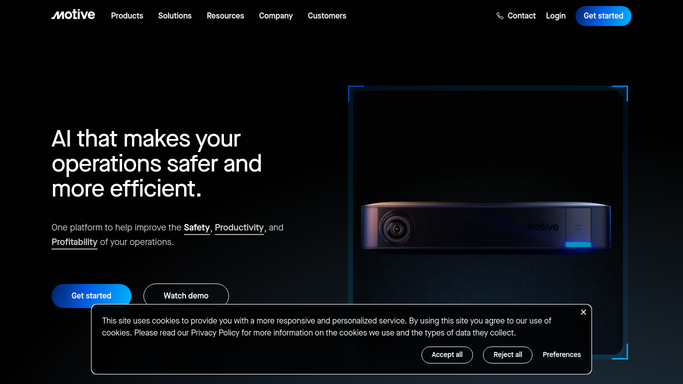
WebRun opens Motive to scan driver document expiry dates. - Open Motive and navigate to Driver Qualifications under the Compliance section
- Export expiry dates for CDLs, medical certificates, and any other tracked credentials
- Identify all documents expiring within the next 60 days
- Group results by urgency: 0 to 14 days, 15 to 30 days, and 31 to 60 days
Done when Every document expiring within 60 days is captured with driver name, document type, and expiry date.
-
2
Slack - alert safety team with expiry list
slack.com How to Automate Slack

WebRun opens Slack to alert safety team with expiry list. - Post the expiry warning list to the safety Slack channel, sorted by most urgent first
- Label each entry with its urgency window so the team knows which to chase today
- Include a link to Motive Driver Qualifications for direct access to each driver record
Done when Safety team has the week's document expiry warnings in Slack at the start of the week.
How is each run configured?
Secure by default
Connect once, stays signed in
WebRun signs in once and keeps each session in a persistent environment, so every run picks up right where it left off.
Every action is checked against this policy before it runs.
Questions, answered
Will it contact drivers directly about their expiring documents?
No. WebRun posts the warning list to your internal Slack channel only. Your safety team decides how and when to communicate renewal requirements to each driver.
Which document types does it track?
It tracks every credential Motive stores in Driver Qualifications, including CDLs, medical certificates, hazmat endorsements, and any custom credential types you have configured.
What happens if a driver renews mid-week?
The next Monday run reads the live expiry dates from Motive, so renewed credentials are automatically dropped from the warning list.
Related templates
Put this on autopilot.
Turn it on in minutes - or have our team set it up for you.