Route every new cardiology patient referral to the right provider in minutes
Every morning, WebRun opens athenahealth, finds new cardiology referrals received since the last run, reads the chief complaint and urgency classification, matches each referral to the appropriate cardiologist or subspecialist based on your routing rules, logs the assignment in Google Sheets, and posts a routing notification to Slack so the care team can schedule the first appointment without delay.
- No credit card
- Under $0.01 per run
- Cancel anytime
How do I automatically route new cardiology patient referrals from athenahealth?
Every morning, WebRun opens athenahealth, reads every new cardiology referral received since the last run, applies your routing rules to assign each to the right cardiologist or subspecialist, logs the assignments in Google Sheets, and posts a Slack notification to the scheduling team with urgency flags so the first appointment is booked the same day.
- Every new referral is routed to the right provider the morning it arrives, not days later
- Urgent referrals are flagged in Slack for same-day or next-day scheduling
- Scheduling team never has to manually scan the athenahealth intake queue
Built for cardiology scheduling teams · cardiology practice managers · referral coordinators
What does WebRun do on every run?
The exact actions WebRun takes, in order - in plain language, so you can adjust anything.
-
WebRun signs in and gets to work
Opens
www.athenahealth.comin a real browser with your saved login - no setup, no API keys. -
1
athenahealth - find new cardiology referral intakes
athenahealth.com How to Automate athenahealth
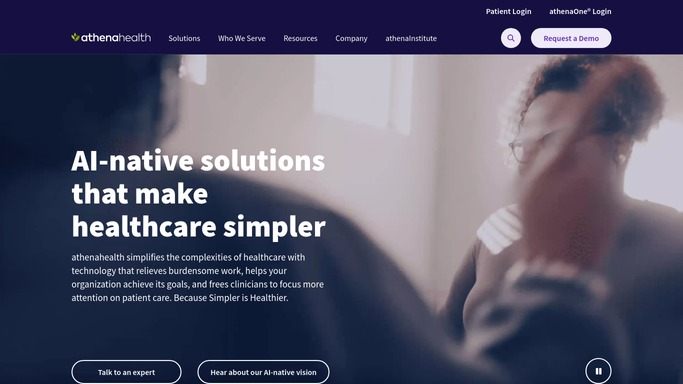
WebRun opens athenahealth to find new cardiology referral intakes. - Open athenahealth and navigate to the referral intake queue or new patient worklist
- Filter for new cardiology referrals received since the last run
- Capture the chief complaint, urgency level, referring provider, and preferred provider if noted
- Apply your routing rules to assign each referral to the appropriate cardiologist or subspecialty
Done when Every new referral has a proposed provider assignment based on the routing rules.
-
2
Google Sheets - log referral routing assignments
google.com How to Automate Google Sheets

WebRun opens Google Sheets to log referral routing assignments. - Open the New Patient Referral Routing log sheet
- Add a row for each new referral with chief complaint, urgency, proposed provider, and routing timestamp
- Mark urgent referrals with a red flag indicator in the urgency column
Done when The routing log sheet reflects all new referrals from today's run with their proposed assignments.
-
3
Slack - notify the care team of new assignments
slack.com How to Automate Slack

WebRun opens Slack to notify the care team of new assignments. - Post a routing notification to the cardiology scheduling Slack channel
- List each new referral with proposed provider and urgency level
- Flag urgent referrals that require same-day or next-day scheduling
- Include a link to the Google Sheets routing log
Done when The scheduling team has a Slack notification of all new referral assignments with urgency flags.
How is each run configured?
Secure by default
Connect once, stays signed in
WebRun signs in once and keeps each session in a persistent environment, so every run picks up right where it left off.
Every action is checked against this policy before it runs.
Questions, answered
Will it schedule the appointment or contact the patient on its own?
No. WebRun identifies the referral, applies routing rules, and notifies your scheduling team in Slack. The actual appointment booking and any patient contact are handled by your staff, keeping PHI protected and the scheduling workflow under human control.
How does it decide which provider to assign?
WebRun applies the routing rules you configure before the first run: for example, heart failure patients to Provider A, electrophysiology referrals to Provider B, and general cardiology to whoever has the next available slot according to your practice protocol.
What counts as an urgent referral?
Urgency is read from the referral classification in athenahealth, typically flagged by the referring provider as urgent, STAT, or routine. You can also define your own urgency keywords in the WebRun routing rules.
Related templates
Put this on autopilot.
Turn it on in minutes - or have our team set it up for you.