Export weekly Branch link performance to a tracker
Every Monday, WebRun opens Branch, pulls last week's deep link clicks and install attribution by campaign, logs each campaign's numbers and click-to-install rate to Airtable, and emails the growth team a summary.
- No credit card
- Under $0.01 per run
- Cancel anytime
How do I get a weekly export of my Branch deep link performance?
WebRun pulls deep link clicks and install attribution by campaign from Branch every Monday, logs each campaign's numbers and click-to-install rate to Airtable, and emails the growth team a summary that leads with whatever changed the most. It turns raw attribution data into a standing weekly record without a manual export.
- Link performance data lands in a tracker automatically every week
- The campaign with the biggest change is called out, not buried
- History accumulates for easy week-over-week comparisons
Built for mobile marketing teams · growth teams · user acquisition managers · product marketers
What does WebRun do on every run?
The exact actions WebRun takes, in order - in plain language, so you can adjust anything.
-
WebRun signs in and gets to work
Opens
dashboard.branch.ioin a real browser with your saved login - no setup, no API keys. -
1
Branch - pull deep link performance
branch.io
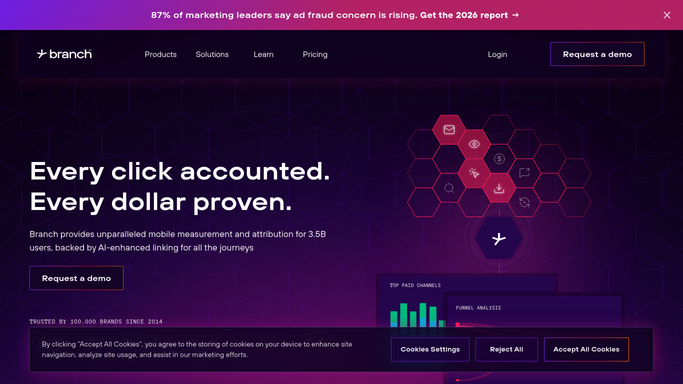
WebRun opens Branch to pull deep link performance. - Open Branch and pull last week's deep link clicks and install attribution by campaign
- Compare each campaign against the prior week
- Note any campaign with a sharp change in click-to-install rate
Done when Every active campaign has last week's link performance pulled.
-
2
Airtable - log the numbers
airtable.com How to Automate Airtable

WebRun opens Airtable to log the numbers. - Log a row for each campaign with clicks, installs, and click-to-install rate
- Keep history so trends are easy to compare
Done when The tracker has this week's row for every campaign.
-
3
Gmail - email the summary
gmail.com How to Automate Gmail

WebRun uses Gmail to email the summary. - Email the growth team a summary of the week's link performance
- Lead with the campaign that changed the most
Done when The team has this week's summary in their inbox.
How is each run configured?
Secure by default
Connect once, stays signed in
WebRun signs in once and keeps each session in a persistent environment, so every run picks up right where it left off.
Every action is checked against this policy before it runs.
Questions, answered
Does it change a deep link or campaign setup?
No. WebRun only reports the performance it finds. Changing a link's destination or campaign setup is left to your team.
How is click-to-install rate calculated?
It reads the click and install attribution numbers Branch already tracks and calculates the rate, so it matches what you'd see in the Branch dashboard.
What if a campaign just launched?
A brand-new campaign is still listed with its numbers, just without a week-over-week comparison until it has a prior week.
Related templates
Put this on autopilot.
Turn it on in minutes - or have our team set it up for you.