Launch a new food or package item without missing a step
When you trigger a new product launch, WebRun opens Conqueror X to verify the item is configured with a price, category, and inventory count, posts a staff briefing to Slack with the item details and selling points, and drafts a promotional announcement email in Mailchimp for your review before it is sent to your customer list.
- No credit card
- Under $0.01 per run
- Cancel anytime
How do I make sure every step is covered when launching a new product at my bowling center?
WebRun walks through the full new-item launch process when triggered: it verifies the product is correctly set up in Conqueror X with a price and active status, posts a staff briefing to Slack with selling points, and drafts a promotional announcement in Mailchimp for your review before any customer email is sent. Every launch step is covered in one run.
- New items verified as fully configured in Conqueror X before going live
- Staff briefed in Slack with selling points at the moment of launch
- Customer announcement drafted in Mailchimp and held for approval
Built for bowling center managers · bowling center owners · food and beverage managers
What does WebRun do on every run?
The exact actions WebRun takes, in order - in plain language, so you can adjust anything.
-
WebRun signs in and gets to work
Opens
www.qubicaamf.comin a real browser with your saved login - no setup, no API keys. -
1
Conqueror X - verify item setup and pricing
qubicaamf.com How to Automate Conqueror X
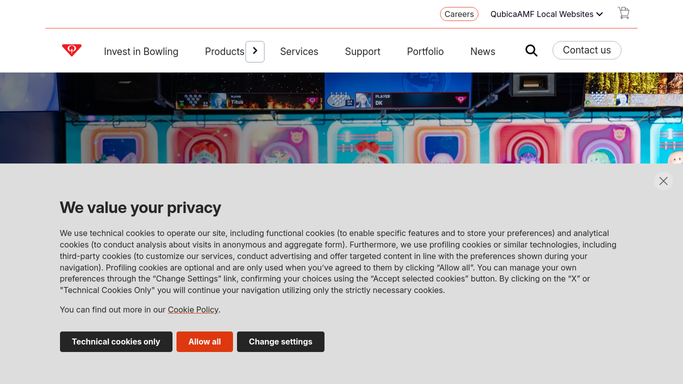
WebRun opens Conqueror X to verify item setup and pricing. - Open Conqueror X and locate the newly added item in the product or menu section
- Confirm the item has a name, category, price, and tax setting configured
- Verify an opening inventory count has been entered if the item is a physical product
- Check that the item is set to active and visible on the POS
Done when The new item is confirmed as fully configured and active in Conqueror X.
-
2
Slack - post staff briefing with item details
slack.com How to Automate Slack

WebRun opens Slack to post staff briefing with item details. - Post a staff briefing to the general or all-staff Slack channel
- Include the item name, price, description, and any upsell or cross-sell tips
- Note which lanes, packages, or times the item applies to, if relevant
Done when Staff are briefed on the new item via Slack before the item goes live.
-
3
Mailchimp - draft customer announcement for review
mailchimp.com How to Automate Mailchimp

WebRun opens Mailchimp to draft customer announcement for review. - Draft a short promotional email announcing the new item to your customer list
- Include the item name, a brief description, price, and a call to action to book or visit
- Save the campaign as a Mailchimp draft, not scheduled or sent
- Do not send or schedule the announcement without your explicit approval
Done when A Mailchimp draft announcement is saved and waiting for your review before sending.
How is each run configured?
Secure by default
Connect once, stays signed in
WebRun signs in once and keeps each session in a persistent environment, so every run picks up right where it left off.
Every action is checked against this policy before it runs.
Questions, answered
Will it send the announcement email to customers automatically?
No. The Mailchimp campaign is saved as a draft for your review. No email is scheduled or sent until you approve it and confirm it yourself.
What if the item is not configured correctly in Conqueror X?
WebRun flags any missing fields, such as a price or category, and lists them in the Slack briefing so you can fix the setup before the item goes live.
Can I use this for party packages as well as food items?
Yes. This workflow applies to any new item or package you add to Conqueror X, including party packages, lane bundles, combo deals, and individual food or bar items.
Related templates
Put this on autopilot.
Turn it on in minutes - or have our team set it up for you.