Get every owner booked before winterization season
Every Monday during winterization season, WebRun opens DockMaster, finds boats on file that have not yet booked winterization service, drafts a personal scheduling email for each owner in Gmail, and posts your service team a Slack list to review before any email goes out.
- No credit card
- Under $0.01 per run
- Cancel anytime
How do I get every boat owner booked for winterization before season ends?
WebRun checks DockMaster every Monday during winterization season for boats with no service booked yet, then drafts a personal scheduling email for each owner in Gmail mentioning their boat and last service date. Your service team gets a Slack list of the week's drafts to review, so outreach happens on time without any email sending unapproved.
- Owners hear about winterization booking before slots fill up
- Every outreach email is personalized with the boat and last service date
- No email reaches an owner without service team review
Built for boat dealerships · marine service departments · boatyards · service advisors
What does WebRun do on every run?
The exact actions WebRun takes, in order - in plain language, so you can adjust anything.
-
WebRun signs in and gets to work
Opens
www.dockmaster.com/loginin a real browser with your saved login - no setup, no API keys. -
1
DockMaster - find boats not yet booked for winterization
dockmaster.com How to Automate DockMaster
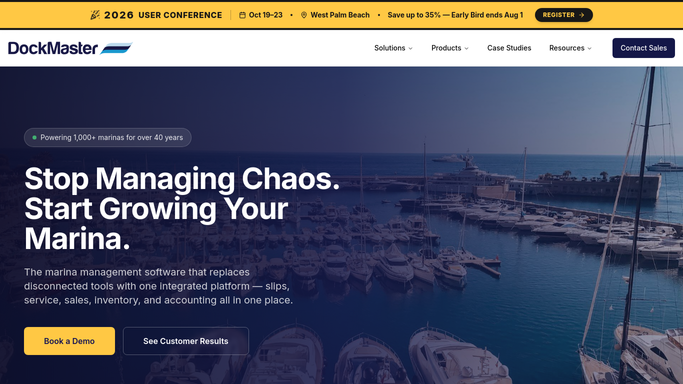
WebRun opens DockMaster to find boats not yet booked for winterization. - Open DockMaster and list boats on file with no winterization work order booked this season
- Capture the owner, boat, and last service date for each
- Skip any boat already scheduled or already winterized
Done when Every boat without a booked winterization slot is listed with its owner.
-
2
Gmail - draft the scheduling email
gmail.com How to Automate Gmail

WebRun opens Gmail to draft the scheduling email. - Draft a friendly scheduling email for each owner offering open winterization slots
- Mention their boat and last service date to personalize it
- Save each email as a draft. Do not send it automatically
Done when A draft scheduling email exists in Gmail for every owner without a booked slot.
-
3
Slack - list emails ready for review
slack.com How to Automate Slack

WebRun opens Slack to list emails ready for review. - Post the service team a list of this week's draft outreach emails
- Sort by how long it has been since each boat's last service
- Leave sending to the team once they've reviewed the drafts
Done when Service team has this week's winterization outreach list in Slack.
How is each run configured?
Secure by default
Connect once, stays signed in
WebRun signs in once and keeps each session in a persistent environment, so every run picks up right where it left off.
Every action is checked against this policy before it runs.
Questions, answered
Will it email customers about winterization without approval?
No. Every scheduling email is saved as a Gmail draft. Your service team reviews and sends it, so no owner gets an email WebRun wrote on its own.
How does it know who still needs to book?
It reads DockMaster for boats with no winterization work order this season and skips anyone already scheduled or already serviced.
Can I run it outside of fall?
Yes. The schedule is just a suggestion. Turn it on for whatever window matches your season and turn it off once winterization wraps up.
Related templates
Put this on autopilot.
Turn it on in minutes - or have our team set it up for you.