Turn Bland AI call outcomes into a daily follow-up list
Every morning, WebRun opens Bland AI, reviews yesterday's call logs and outcomes from your voice agent, books a follow-up call on Google Calendar for every lead marked qualified, and posts a recap to Microsoft Teams naming how many calls were made and how many turned into a next step.
- No credit card
- Under $0.01 per run
- Cancel anytime
How do I turn Bland AI call outcomes into a daily follow-up list?
WebRun reviews every call your Bland AI voice agent completed the day before, reading each outcome and any notes it captured. It books a follow-up call on Google Calendar for every lead marked qualified and posts a recap to Microsoft Teams, so a day of automated calls turns into a ready follow-up list instead of a log nobody checks.
- Qualified leads get a follow-up booked the same morning
- The team gets a call recap without opening the call log themselves
- Errored calls get flagged for a human instead of silently booking bad follow-ups
Built for Sales teams · inside sales · call center operations · lead generation teams
What does WebRun do on every run?
The exact actions WebRun takes, in order - in plain language, so you can adjust anything.
-
WebRun signs in and gets to work
Opens
app.bland.aiin a real browser with your saved login - no setup, no API keys. -
1
Bland AI - review yesterday's call outcomes
bland.ai
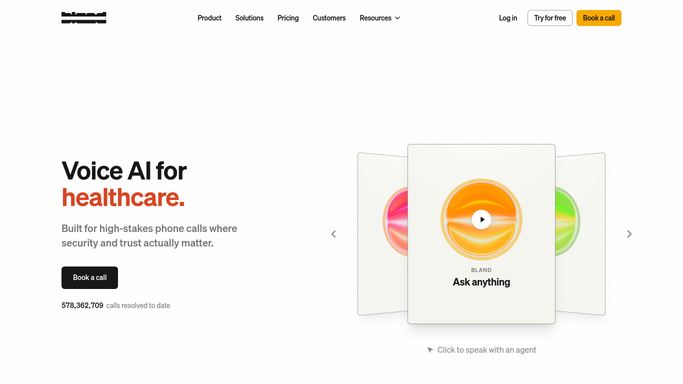
WebRun reviews yesterday's call outcomes in Bland AI. - Open the call logs from the past day
- Read each call's outcome and any notes the agent captured
- Flag calls marked qualified or requesting a follow-up
Done when Every call from yesterday has a read outcome.
-
2
Google Calendar - book follow-ups for qualified leads
calendar.google.com How to Automate Google Calendar

WebRun books follow-ups for qualified leads on Google Calendar. - Book a follow-up call for each qualified lead
- Use the time window the lead requested if one was captured
- Add the call notes to the event
Done when A follow-up is booked for every qualified lead.
-
3
Microsoft Teams - post the call recap
microsoft.com How to Automate Microsoft Teams

WebRun posts the call recap in Microsoft Teams. - Post a recap of how many calls were made and how many qualified
- Link to the booked follow-ups
- Flag any call that ended in an error for a human to check
Done when The team has yesterday's call recap in Teams.
How is each run configured?
Secure by default
Connect once, stays signed in
WebRun signs in once and keeps each session in a persistent environment, so every run picks up right where it left off.
Every action is checked against this policy before it runs.
Questions, answered
Does it make the phone calls itself?
No. WebRun only reviews outcomes from calls your Bland AI agent already completed. It doesn't place or receive calls on its own.
What counts as a qualified lead?
Whatever your Bland AI agent marks as qualified or requesting a follow-up, based on how you've configured it.
What if a call ended in an error?
It's flagged in the Teams recap for a human to check, rather than silently booking a follow-up on bad data.
Related templates
Put this on autopilot.
Turn it on in minutes - or have our team set it up for you.