Surface the deals nobody has touched in weeks
Every Monday, WebRun opens Bitrix24, walks the open deals in each pipeline stage, finds the ones with no call, email, task, or note logged for longer than your threshold, records each in Airtable with its value, stage, owner, and days since last activity, then writes a per-rep follow-up brief in Notion listing who to contact first.
- No credit card
- Under $0.01 per run
- Cancel anytime
How do I find deals in my CRM that nobody has followed up?
WebRun surfaces your neglected deals every Monday. It reads activity history on every open Bitrix24 deal, flags those with no call, email, task, or note past your threshold, logs them in Airtable with their age and value, and writes each rep a ranked follow-up brief in Notion.
- Silent deals are surfaced weekly with a value attached
- Every rep starts Monday with a ranked call list
- Repeat offenders stop hiding at the bottom of the pipeline
Built for sales managers · B2B sales teams · agencies · small business owners
What does WebRun do on every run?
The exact actions WebRun takes, in order - in plain language, so you can adjust anything.
-
WebRun signs in and gets to work
Opens
bitrix24.comin a real browser with your saved login - no setup, no API keys. -
1
Bitrix24 - find deals with no recent activity
bitrix24.com
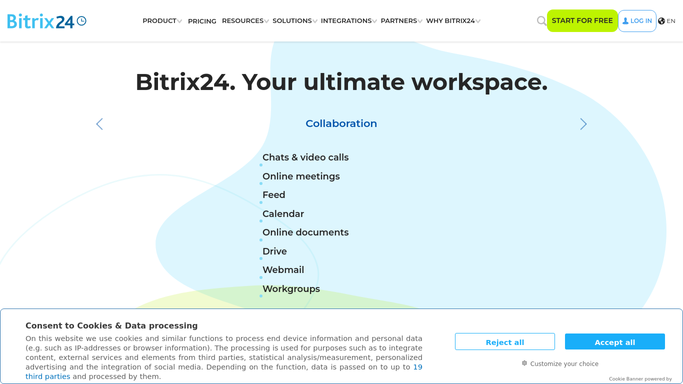
WebRun opens Bitrix24 to find deals with no recent activity. - Open the CRM and list open deals across every pipeline you nominated
- Read the activity history on each deal and find the date of the last call, email, task, or note
- Flag deals with no activity for longer than your threshold, commonly 14 days
- Record the deal name, company, value, stage, owner, and days since last activity
Done when Every open deal has a last activity date and stale deals are flagged.
-
2
Airtable - log each stale deal with its age
airtable.com How to Automate Airtable

WebRun opens Airtable to log each stale deal with its age. - Open the stale deal register base
- Add or update a row per flagged deal with value, stage, owner, and days silent
- Mark deals that were flagged last week and are still silent as repeat offenders
- Clear rows for deals that have since had activity or been closed
Done when The register matches this week's stale deals in Bitrix24.
-
3
Notion - write each rep a follow-up brief
notion.so How to Automate Notion

WebRun opens Notion to write each rep a follow-up brief. - Open the sales team space and add this week's follow-up page
- Give each rep their own section, sorted by deal value then by days silent
- Add the last thing that happened on each deal so the rep has context before they call
- Suggest wording for the outreach, but leave sending it to the rep. WebRun never contacts a customer
Done when Every rep has a follow-up brief in Notion for the week.
How is each run configured?
Secure by default
Connect once, stays signed in
WebRun signs in once and keeps each session in a persistent environment, so every run picks up right where it left off.
Every action is checked against this policy before it runs.
Questions, answered
Will it email or call my prospects?
No. WebRun never contacts a customer. It writes a follow-up brief in Notion with suggested wording, and the rep decides what to send and when.
Does it change anything in the CRM?
No. It reads deals and activity history in Bitrix24 and does not move a deal stage, edit a value, reassign an owner, or close anything.
How is stale defined?
By the number of days since the last logged call, email, task, or note on the deal, against the threshold you set. Most teams use 14 days, and long-cycle sellers set it higher.
Related templates
Put this on autopilot.
Turn it on in minutes - or have our team set it up for you.