Turn your work order backlog into a weekly action list
Every Monday morning, WebRun opens Nuvolo, pulls every open work order, groups the backlog by age, priority, and assigned technician, logs the full list to Smartsheet, and posts your team a Slack summary of what's overdue and who owns it so nothing sits untouched another week.
- No credit card
- Under $0.01 per run
- Cancel anytime
How do I keep my Nuvolo work order backlog from quietly piling up?
WebRun opens Nuvolo every Monday, pulls every work order that isn't closed, and groups the backlog by age and priority. It logs the full list to Smartsheet and posts your team a Slack summary of what's overdue and who owns it, so the oldest, highest priority work orders get worked first instead of aging further.
- The oldest work orders surface first instead of sinking to the bottom of a list
- Every technician's open workload is visible in one weekly summary
- Week over week comparison shows whether the backlog is shrinking or growing
Built for biomedical engineering managers · clinical engineering teams · HTM shop supervisors · hospital facilities management
What does WebRun do on every run?
The exact actions WebRun takes, in order - in plain language, so you can adjust anything.
-
WebRun signs in and gets to work
Opens
www.nuvolo.comin a real browser with your saved login - no setup, no API keys. -
1
Nuvolo - pull the open work order backlog
nuvolo.com How to Automate Nuvolo
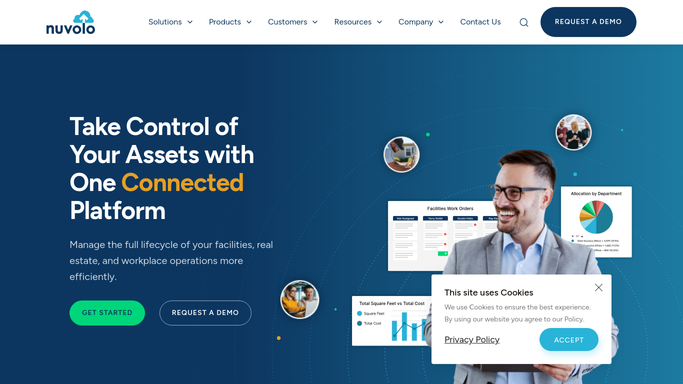
WebRun opens Nuvolo to pull the open work order backlog. - Open Nuvolo and filter work orders to any status other than closed
- Capture the asset, priority, assigned technician, and days open for each
- Group the list into under 7 days, 7 to 30 days, and over 30 days open
Done when Every open work order is listed with its age, priority, and owner.
-
2
Smartsheet - organize backlog by age and priority
smartsheet.com How to Automate Smartsheet

WebRun opens Smartsheet to organize backlog by age and priority. - Open the Work Order Backlog sheet
- Replace last week's rows with today's full backlog, keeping a copy of the prior week
- Sort by days open, oldest first, within each priority tier
Done when The backlog sheet reflects today's full list, sorted oldest and highest priority first.
-
3
Slack - post the backlog summary to your team
slack.com How to Automate Slack

WebRun opens Slack to post the backlog summary to your team. - Post a summary to the team channel counting how many work orders are open in each age tier
- List the oldest and highest priority items first with the assigned technician tagged
- Link to the full Smartsheet for the complete backlog
Done when Your team has this week's backlog summary in Slack with a link to the full list.
How is each run configured?
Secure by default
Connect once, stays signed in
WebRun signs in once and keeps each session in a persistent environment, so every run picks up right where it left off.
Every action is checked against this policy before it runs.
Questions, answered
Does it close or reassign work orders automatically?
No. It only reads and reports on the existing backlog. Closing, reassigning, or reprioritizing a work order stays a decision made by your team inside Nuvolo.
How does it decide what counts as high priority?
It uses the priority already set on each work order in Nuvolo, then layers on days open so old, high priority items always surface at the top of the list.
What happens to last week's backlog data?
The prior week's snapshot is kept in Smartsheet so you can compare week over week, while the top of the sheet always shows today's live backlog.
Related templates
Put this on autopilot.
Turn it on in minutes - or have our team set it up for you.