Get new items set up completely before the first order arrives
When a new SKU is added to VIP, WebRun reads the item record, checks every required setup field including cost, price, UPC, lot tracking, and supplier, flags any missing fields, and posts a setup checklist to Slack while logging the new item in a Google Sheets SKU tracker.
- No credit card
- Under $0.01 per run
- Cancel anytime
How do I automatically verify new item setup completeness when a SKU is added to my beverage distribution system?
WebRun detects every new SKU added to VIP, checks all required setup fields including cost, price, UPC, lot tracking, and supplier, flags any that are missing, and posts a setup checklist to Slack tagged to the responsible team member, while logging the new item in a Google Sheets SKU tracker, so no item goes on sale with an incomplete record.
- Every new SKU checked for completeness the moment it is added to VIP
- Missing setup fields flagged in Slack so the right person acts immediately
- All new items tracked in Google Sheets with completion status visible to the team
Built for beverage distributors · category managers · data teams · beer and wine wholesalers
What does WebRun do on every run?
The exact actions WebRun takes, in order - in plain language, so you can adjust anything.
-
WebRun signs in and gets to work
Opens
apps.vtinfo.com/beveragein a real browser with your saved login - no setup, no API keys. -
1
VIP - check new SKU setup completeness
vtinfo.com How to Automate VIP
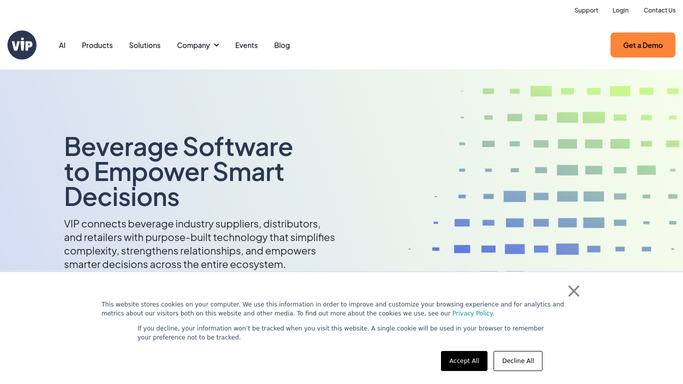
WebRun opens VIP to check new SKU setup completeness. - Detect when a new SKU record is created in VIP
- Read the item record and check required fields: SKU code, UPC, brand, supplier, case cost, sell price, lot tracking enabled, and reorder threshold
- Flag each missing or incomplete field
- Identify whether the item has been assigned to any routes or price lists yet
Done when All required fields are checked and any missing ones are flagged with the item record details.
-
2
Google Sheets - log new item in SKU tracker
google.com How to Automate Google Sheets

WebRun opens Google Sheets to log new item in SKU tracker. - Append the new SKU as a row in the SKU tracker with date added, SKU code, brand, supplier, and setup completion status
- Mark incomplete fields in the tracker for the category or data team to complete
- Update the new-item pipeline view so the team can see all items recently added
Done when New SKU is logged in the Google Sheets SKU tracker with missing fields noted.
-
3
Slack - post setup checklist
slack.com How to Automate Slack

WebRun opens Slack to post setup checklist. - Post the setup checklist to the item-setup Slack channel with the SKU name and a list of any missing required fields
- Tag the responsible buyer or category manager
- If all fields are complete, post a brief confirmation so the team knows the item is ready to sell
Done when Team has the setup checklist or confirmation in Slack for the new item.
How is each run configured?
Secure by default
Connect once, stays signed in
WebRun signs in once and keeps each session in a persistent environment, so every run picks up right where it left off.
Every action is checked against this policy before it runs.
Questions, answered
Will it fill in the missing fields automatically?
No. WebRun identifies which fields are missing and tells the right team member in Slack. Completing the VIP item record is done by your buyer or data team.
Which fields does it check by default?
It checks SKU code, UPC, brand, supplier, case cost, sell price, lot tracking setting, and reorder threshold. You can add or remove fields from the checklist at setup.
What if the item is fully set up when it is created?
WebRun posts a brief confirmation to Slack noting all required fields are complete, so the team knows the item is ready to sell without needing to verify manually.
Related templates
Put this on autopilot.
Turn it on in minutes - or have our team set it up for you.