Give every new account a smooth onboarding from day one
When a new licensed account is created in VIP, WebRun reads the account details, posts an internal Slack notice to compliance and credit, drafts a welcome email for the assigned rep to review and send, and creates an onboarding follow-up event in Google Calendar.
- No credit card
- Under $0.01 per run
- Cancel anytime
How do I automatically kick off onboarding when a new account is added to my beverage distributor system?
WebRun detects every new licensed account in VIP and immediately posts an internal Slack notice to your compliance and credit teams, drafts a welcome email in Gmail for the assigned rep to review and send, and schedules a seven-day follow-up on the rep's Google Calendar, so every account starts with a consistent, timely onboarding.
- Compliance and credit teams notified the moment a new account is created
- Every new account gets a consistent welcome email draft ready for the rep
- Seven-day follow-up automatically on the rep's calendar so no new account is forgotten
Built for beverage distributors · beer and wine wholesalers · sales reps · compliance teams
What does WebRun do on every run?
The exact actions WebRun takes, in order - in plain language, so you can adjust anything.
-
WebRun signs in and gets to work
Opens
apps.vtinfo.com/beveragein a real browser with your saved login - no setup, no API keys. -
1
VIP - detect new licensed account
vtinfo.com How to Automate VIP
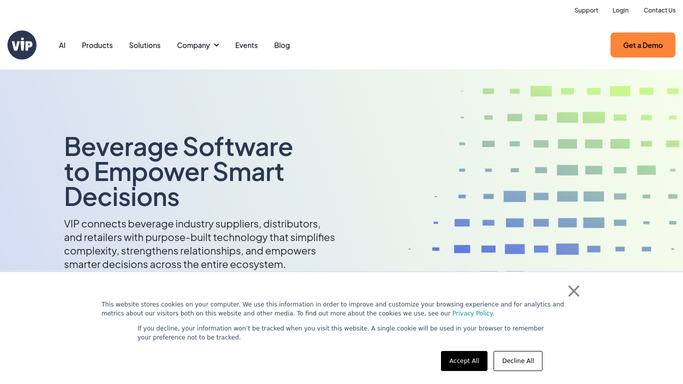
WebRun opens VIP to detect new licensed account. - Detect when a new account record is created in VIP
- Capture the account name, license number, address, assigned sales rep, and account type
- Confirm the license status and credit tier from the new record
Done when New account details are captured and ready for the onboarding sequence.
-
2
Slack - notify compliance and credit teams
slack.com How to Automate Slack

WebRun opens Slack to notify compliance and credit teams. - Post an internal notice to the compliance channel with the license number and account type
- Post a separate notice to the credit team so they can set up the credit file
- Tag the assigned sales rep in both messages
Done when Compliance and credit teams are notified with the new account details.
-
3
Gmail - draft welcome email for rep
gmail.com How to Automate Gmail

WebRun opens Gmail to draft welcome email for rep. - Draft a warm welcome email addressed to the new account contact from the assigned rep
- Include the rep's contact info, ordering instructions, and next steps
- Leave the draft unsent for the rep to review and personalize before sending
Done when Welcome email draft is ready in Gmail for the rep to review.
-
4
Google Calendar - schedule onboarding follow-up
calendar.google.com How to Automate Google Calendar

WebRun opens Google Calendar to schedule onboarding follow-up. - Create a seven-day follow-up event on the assigned rep's calendar
- Title it with the account name and include the VIP account number in the notes
- Set a one-day reminder so the rep does not miss the check-in
Done when Onboarding follow-up event is scheduled on the rep's Google Calendar.
How is each run configured?
Secure by default
Connect once, stays signed in
WebRun signs in once and keeps each session in a persistent environment, so every run picks up right where it left off.
Every action is checked against this policy before it runs.
Questions, answered
Will it send the welcome email automatically?
No. WebRun drafts the welcome email and leaves it in Gmail for the rep to review, personalize if needed, and send. Nothing goes to the account without rep approval.
What triggers the workflow?
WebRun detects when a new account record is created in VIP. It fires once per new account so the onboarding sequence starts automatically from the moment the record is saved.
Can I customize the welcome email template?
Yes. Give WebRun your preferred tone, talking points, or an example email and it will use that as the draft template for every new account.
Related templates
Put this on autopilot.
Turn it on in minutes - or have our team set it up for you.