Warn the family before a saved show leaves iPlayer
Every week, WebRun signs into BBC iPlayer, opens your saved watchlist and continue-watching row, notes how long each programme has left before it expires, writes the whole list to a Google Drive document, and drafts the family a WhatsApp message about what to watch before it disappears.
- No credit card
- Under $0.01 per run
- Cancel anytime
How do I know which BBC iPlayer shows are about to expire?
WebRun opens your BBC iPlayer watchlist every week, reads how long each saved programme has left before it leaves, and ranks them by urgency. It saves the list to Google Drive and drafts a WhatsApp message for the family naming what to watch first, so nothing expires unwatched.
- Saved programmes get watched before they leave iPlayer
- The family sees one weekly list instead of a full watchlist
- Every WhatsApp message is read and sent by a person
Built for households · families · TV viewers · anyone with a long watchlist
What does WebRun do on every run?
The exact actions WebRun takes, in order - in plain language, so you can adjust anything.
-
WebRun signs in and gets to work
Opens
www.bbc.co.uk/iplayerin a real browser with your saved login - no setup, no API keys. -
1
BBC iPlayer - read your watchlist and expiry dates
bbc.co.uk
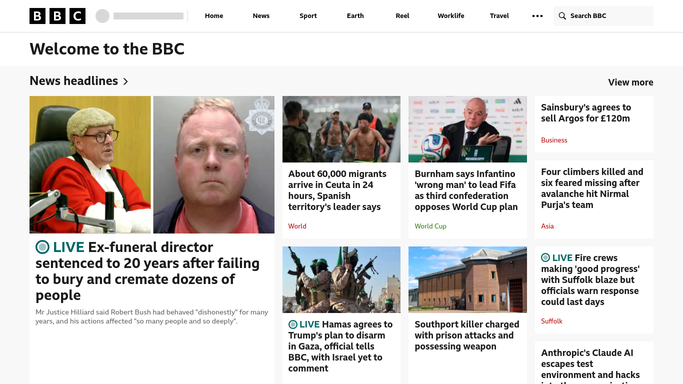
WebRun opens BBC iPlayer to read your watchlist and expiry dates. - Sign into BBC iPlayer and open your watchlist
- Capture each programme's title, series, and the availability note showing how long is left
- Add anything in continue watching that is part finished
- Rank the list so whatever expires soonest sits first
Done when Every saved programme is listed with its remaining availability.
-
2
Google Drive - save the ranked list
drive.google.com How to Automate Google Drive

WebRun opens Google Drive to save the ranked list. - Open the shared household folder in Google Drive
- Write this week's ranked list into the watchlist document with the date
- Mark anything that expired since last week as gone
- Keep previous weeks in the same document so the history stays
Done when This week's ranked watchlist is saved in Google Drive.
-
3
WhatsApp - tell the family what leaves soon
whatsapp.com How to Automate WhatsApp

WebRun opens WhatsApp to tell the family what leaves soon. - Draft a short message for the family group naming the three programmes leaving soonest
- Include the days left for each and a link to the Drive document
- Leave the message unsent in the chat for you to send
- Never post to the group without your tap
Done when A ready-to-send family message sits in WhatsApp.
How is each run configured?
Secure by default
Connect once, stays signed in
WebRun signs in once and keeps each session in a persistent environment, so every run picks up right where it left off.
Every action is checked against this policy before it runs.
Questions, answered
Will it message the family group on its own?
No. WebRun writes the WhatsApp message and leaves it unsent in the chat. You read it and tap send, so nothing reaches the group without you.
Does it change my watchlist?
No. WebRun only reads your saved list and the availability notes shown on each programme. It never removes an item, starts playback, or edits your account.
What if a programme already expired?
It is marked as gone in the Google Drive document and left out of the WhatsApp message, so the list you get is only things you can still actually watch.
Related templates
Put this on autopilot.
Turn it on in minutes - or have our team set it up for you.