Spot the projects that quietly stalled
Every Monday, WebRun signs into Basecamp, opens each active project, counts overdue to-dos and how long the message board has been quiet, scores every project as healthy, slipping, or stalled, writes the table into a Notion page, and sends you a short Telegram summary of what needs attention.
- No credit card
- Under $0.01 per run
- Cancel anytime
How do I tell which of my Basecamp projects have stalled?
WebRun signs into Basecamp every Monday, opens each active project, and counts overdue to-dos alongside how long the message board has been quiet. It scores each project healthy, slipping, or stalled, writes the table into Notion beside previous weeks, and sends you a Telegram summary of what needs attention.
- Stalled projects surface in week one, not month two
- The health trend per project builds up in Notion automatically
- No manual click-through of every project on Monday morning
Built for agencies · project managers · operations leads · consultancies
What does WebRun do on every run?
The exact actions WebRun takes, in order - in plain language, so you can adjust anything.
-
WebRun signs in and gets to work
Opens
launchpad.37signals.com/signinin a real browser with your saved login - no setup, no API keys. -
1
Basecamp - review each project for slippage
basecamp.com
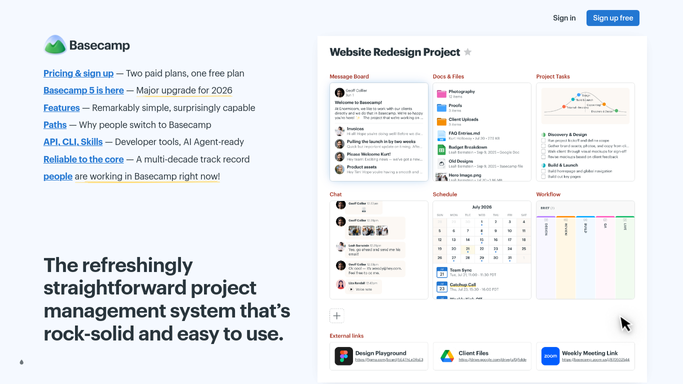
WebRun opens Basecamp to review each project for slippage. - Sign into Basecamp and open the list of active projects
- In each project, open the To-dos and count items past their due date and who they are assigned to
- Check the Message Board and Campfire for the date of the most recent post
- Score each project as healthy, slipping, or stalled from overdue count and days since last activity
Done when Every active project has an overdue count, a last-activity date, and a health score.
-
2
Notion - write the health table
notion.so How to Automate Notion

WebRun opens Notion to write the health table. - Open your Notion project health page
- Add this week's row for every project: overdue to-dos, days since last activity, and the health score
- Keep the previous weeks in place so the trend is visible
- Highlight any project that moved from healthy to slipping since last week
Done when This week's health table is written into Notion beside the previous weeks.
-
3
Telegram - send the weekly summary
telegram.org How to Automate Telegram

WebRun opens Telegram to send the weekly summary. - Send a short summary naming the stalled and slipping projects first
- Give each one its overdue count and how long it has been quiet
- Link to the Notion page for the full table
- Send only to your internal team chat. Never message a client from this run
Done when You have this week's project health summary on Telegram.
How is each run configured?
Secure by default
Connect once, stays signed in
WebRun signs in once and keeps each session in a persistent environment, so every run picks up right where it left off.
Every action is checked against this policy before it runs.
Questions, answered
Does it post in my Basecamp projects?
No. The Basecamp side is read-only. WebRun opens your projects, counts overdue to-dos, and checks the last post date. It never comments, assigns, or closes anything.
Will clients see any of this?
No. The health table goes to your own Notion page and the summary goes to your internal Telegram chat. Nothing is sent to a client or posted where a client can see it.
How is a project judged stalled?
By two live signals: to-dos past their due date and days since the last message board or Campfire post. You set both thresholds, so a slow-burn project is not flagged unfairly.
Related templates
Put this on autopilot.
Turn it on in minutes - or have our team set it up for you.