Start every day with your Basecamp to-dos handled
Every morning, WebRun opens Basecamp, pulls every to-do due today or already overdue across active projects, reads the latest automatic check-in answers, blocks time for any new deadline on Google Calendar, and sends the team lead a short WhatsApp digest of what needs attention.
- No credit card
- Under $0.01 per run
- Cancel anytime
How do I get a daily summary of what's due across my Basecamp projects?
WebRun reviews your Basecamp projects every morning, collects to-dos due today or overdue along with the latest automatic check-in answers, blocks calendar time for any new deadline, and sends your team lead a WhatsApp digest, so nothing slips between projects and everyone starts the day knowing what matters most.
- Every team member starts the day with a clear to-do list
- New deadlines get calendar time before they're forgotten
- Overdue items surface the same morning instead of at week's end
Built for Agencies · small business teams · project managers · remote teams
What does WebRun do on every run?
The exact actions WebRun takes, in order - in plain language, so you can adjust anything.
-
WebRun signs in and gets to work
Opens
launchpad.37signals.com/signinin a real browser with your saved login - no setup, no API keys. -
1
Basecamp - pull to-dos due today or overdue
basecamp.com
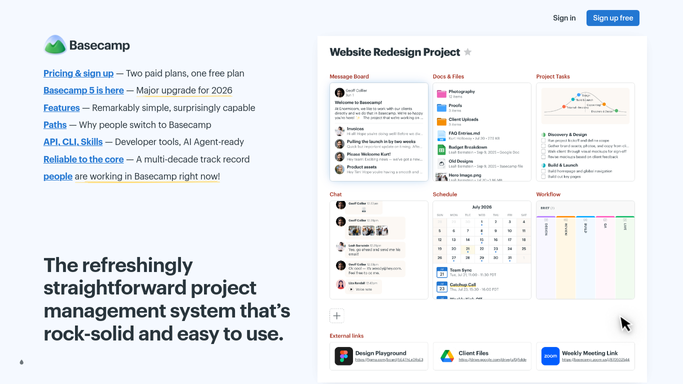
WebRun opens Basecamp to pull to-dos due today or overdue. - Open each active project's to-do lists
- Collect items due today or already overdue
- Read the latest automatic check-in answers for blockers
Done when Every due, overdue, and flagged item is listed with its project and assignee.
-
2
Google Calendar - block time for new deadlines
calendar.google.com How to Automate Google Calendar

WebRun opens Google Calendar to block time for new deadlines. - Check for to-dos with a new deadline not yet on the calendar
- Add a block on the assignee's calendar to cover the work
Done when Every new deadline has a matching calendar block.
-
3
WhatsApp - send the daily digest
whatsapp.com How to Automate WhatsApp

WebRun opens WhatsApp to send the daily digest. - Group today's items by project
- Send the team lead a short digest with counts and the riskiest items first
Done when The team lead has today's Basecamp digest in WhatsApp.
How is each run configured?
Secure by default
Connect once, stays signed in
WebRun signs in once and keeps each session in a persistent environment, so every run picks up right where it left off.
Every action is checked against this policy before it runs.
Questions, answered
Does it change or close any to-dos in Basecamp?
No. WebRun only reads to-dos and check-in answers. It never marks anything done or edits a to-do without you doing it in Basecamp.
Will it message my team directly?
It posts one internal WhatsApp digest to the team lead. It never messages clients or anyone outside your team.
What happens to items that are already scheduled?
WebRun checks Google Calendar first, so a to-do that already has a block is skipped and only genuinely new deadlines get one added.
Related templates
Put this on autopilot.
Turn it on in minutes - or have our team set it up for you.