How to Automate 365 Retail Markets
365 Retail Markets automates what its own devices report. 365 ADM updates sales and inventory on every kiosk transaction, pushes prices and promotions across locations, and runs customisable reports, while prekitting builds the warehouse pick. Host buildings, suppliers and review sites are where an agent like WebRun does the reading.
 Written by
Grace Okafor
Healthcare operations
Written by
Grace Okafor
Healthcare operations
 Reviewed by
Tom Kessler
Field operations analyst
Reviewed by
Tom Kessler
Field operations analyst
A micro market is a shop that leaves the door open
Self-service retail happens in other people's buildings, and 365 Retail Markets builds most of the technology behind it: micro markets with open shelves and coolers, self-checkout kiosks, smart stores, vending and unattended dining. It turns up in corporate offices, hospitals, hotels, senior living, universities, gyms and manufacturing plants, anywhere a few hundred people need feeding and nobody wants to staff a shop.
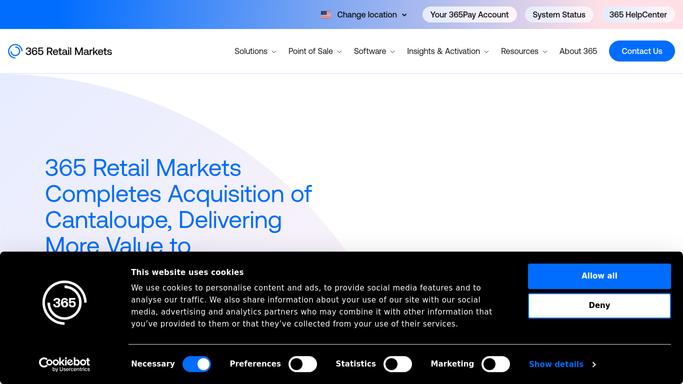
The company has grown mostly by absorbing its neighbours. Avanti Markets, Company Kitchen and Stockwell are all part of it, and in 2025 it completed its acquisition of Cantaloupe and that company's payments and telemetry business.
The hardware ranges from an MM6 kiosk in a break room to a PicoCooler Vision smart cooler. Behind all of it sits the back office, 365 ADM, where the operator sees what every device did.
The economics are unusual. The operator owns the stock and the equipment, sits inside somebody else's building on somebody else's terms, and trusts every person who walks in to scan what they take.
The operator's week happens in other companies' buildings
365 shows the operator what the kiosks recorded. Almost everything that decides whether a location is worth keeping happens somewhere else.
A micro market lives inside a host: a hospital, a plant, a university. That host runs a vendor portal that wants a current certificate of insurance before a driver gets a badge, and a facilities contact who decides at renewal whether the market stays. The food comes from a commissary or a distributor with its own ordering site and its own delivery windows, and half of it has a date code on it.
Then there is what people say. Complaints from a building of four hundred people land in an app store review or an email to the facilities manager, not anywhere an operator would look.
None of it reaches the warehouse on its own.
365 ADM reports every tap the kiosks take
The device side is handled well, and an operator running micro markets off a clipboard is choosing to work harder than the job requires.
365 ADM updates sales and inventory data from every kiosk transaction, so the picture of what sold where is current rather than assembled on Friday. Product and price changes deploy from one screen to a single location or across a whole network, which matters when a supplier moves a case price and forty markets carry the item. Promotional content and adverts can be pushed to idle kiosk screens. Reporting runs across the POS devices, with customisable reports, and consumer accounts and stored value balances sit in the same place. Alongside it, 365 Inventory Management tightens the pick to reduce errors and keep counts accurate, and 365 Prekitting builds what leaves the warehouse.
Every one of those is computed from devices 365 makes and accounts 365 hosts.
The host building's vendor portal is neither. Nor is the distributor's ordering site, the commissary's delivery confirmation, the app store review left by somebody in the building, or the certificate of insurance that expires next month.
A quiet location can be told apart from a broken one
Read the sales feed and those outside systems together, and the second half of the job comes into view.
A kiosk that has taken nothing since yesterday afternoon raised as a fault rather than a slow day, because a blank screen in a break room earns nothing and nobody walking past it will call. What each site sold set against what the prekit sent, so a market quietly losing product looks different from a market that had a quiet Tuesday.
Fresh food followed to the bin: what comes back uneaten from each location, week over week, so the sandwich order to a slow site gets trimmed early. The distributor's site checked for what is actually in stock before a pick is built around it.
Each host's vendor portal kept current, with the insurance certificate, the badge paperwork and the food safety document watched before any of them lapse. Reviews and app feedback read per location and sorted, since a complaint names the building rather than the operator. Stored value balances totalled, because money customers have loaded and not spent is a liability sitting on the books.
Reading and comparing run unattended. Anything that orders stock, changes a price across the estate or replies to a customer is prepared and waits for a person.
A market grows by opening the next one
Signing into a distributor, two host portals and an app store to work out what happened last week is not how an operator finds the next building. It still decides whether the buildings already signed are making money.
WebRun is an AI agent that works a real Chrome browser, signed in as you. It opens the host's vendor portal, the distributor's ordering site or the review page, reads what is on the screen, and sets it beside what your kiosks recorded.
It runs on your schedule in your own private environment, and you can watch a run and stop it. Anything that spends money, changes a price or answers a customer is drafted and held for approval.
The workflows below are already built, and each one names the sites it opens.
Questions people ask
365 ADM already reports every location. What is left over?
Everything outside your own devices. ADM reports what the kiosks and readers recorded. This reads the host building's vendor portal, the distributor's ordering site, the app store reviews and the certificate of insurance, none of which report anything back to a micro market operator.
Can it place an order with our distributor?
Not on its own. It checks what the distributor actually has in stock, works out what each location is asking for, and prepares the order. Committing money to stock stays a person's decision, so the order waits for you to send it.
Our markets sit in hospitals and plants. Does that complicate things?
It helps, because those are exactly the hosts with vendor portals and compliance paperwork. It signs into each one the way your office does, reads what the building is asking for, and flags the certificate or badge renewal before a driver is turned away at reception.
10 ready-made 365 Retail Markets workflows
Each one names the apps it touches and the exact steps it takes. Open one to read what it will do, then turn it on.



Want one of these running on your own 365 Retail Markets?
Show WebRun the process once and it will run it on schedule, in your own private browser environment.