Catch suppressed Amazon listings before they drain your revenue
Every morning, WebRun checks Helium 10 Alerts and Amazon Seller Central for suppressed, stranded, or inactive listings across your catalog, identifies the reason code for each suppression, and logs every affected ASIN with its fix steps to a Google Sheet so your team can resolve issues fast.
- No credit card
- Under $0.01 per run
- Cancel anytime
 Amazon Seller Central
confirm suppression reason and listing status
Amazon Seller Central
confirm suppression reason and listing status
How do I automatically track suppressed Amazon listings every day?
WebRun scans Helium 10 Alerts and Amazon Seller Central every morning for suppressed, stranded, or inactive listings, captures the Amazon reason code for each, and appends a fix-ready row to a Google Sheet so your team can restore active listings before significant revenue is lost.
- Suppressed listings are caught within 24 hours before revenue loss compounds
- Reason codes and fix steps are ready in one sheet for your team to action
- High-revenue ASINs are prioritized in the log so the most impactful fixes happen first
Built for Amazon FBA sellers · private-label brand owners · Amazon catalog managers · ecommerce operations teams
What does WebRun do on every run?
The exact actions WebRun takes, in order - in plain language, so you can adjust anything.
-
WebRun signs in and gets to work
Opens
helium10.com/alertsin a real browser with your saved login - no setup, no API keys. -
1
Helium 10 - detect listing suppression and change alerts
helium10.com How to Automate Helium 10
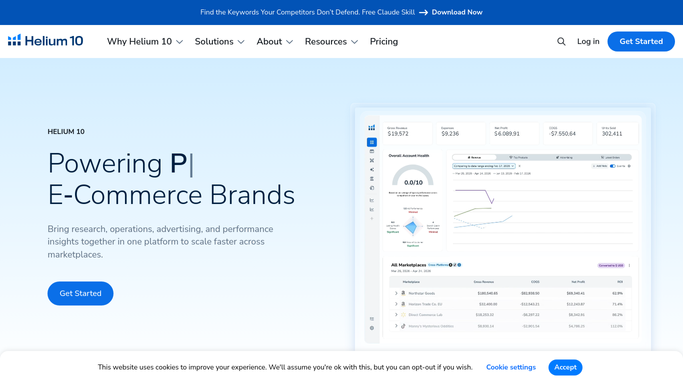
WebRun opens Helium 10 to detect listing suppression and change alerts. - Open Helium 10 and navigate to Alerts
- Filter for listing suppression, status change, or stranded inventory notifications from the last 24 hours
- Capture the ASIN, alert type, and time of detection for each issue
Done when All suppression and status-change alerts are captured with their ASIN and type.
-
2
Amazon Seller Central - confirm suppression reason and listing status

WebRun opens Amazon Seller Central to confirm suppression reason and listing status. - Open Seller Central and go to Manage Inventory, then filter by Suppressed and Inactive
- For each flagged ASIN, read the suppression reason code shown by Amazon
- Note whether the fix requires a listing edit, a category approval, or an image update
Done when Each suppressed ASIN has a confirmed reason code and a fix category.
-
3
Google Sheets - log every affected ASIN with reason code and fix steps
google.com How to Automate Google Sheets

WebRun opens Google Sheets to log every affected ASIN with reason code and fix steps. - Append a row to the tracking sheet for each suppressed ASIN with ASIN, listing title, reason code, date detected, and recommended fix steps
- Set the Status column to Open so your team knows it needs action
- Highlight rows where the ASIN was previously active and generating significant daily revenue
Done when Every suppressed ASIN is logged in the sheet with its reason and fix guidance.
How is each run configured?
Secure by default
Connect once, stays signed in
WebRun signs in once and keeps each session in a persistent environment, so every run picks up right where it left off.
Amazon Seller Central
Sign in once
Every action is checked against this policy before it runs.
Questions, answered
Will it try to fix the listing suppression automatically?
No. WebRun logs the issue and the recommended fix steps to Google Sheets for your team to act on. Editing live listings requires human judgment to ensure compliance with Amazon policies.
What types of suppression does it detect?
It catches all common types including missing required images, incomplete listing data, category restrictions, stranded FBA inventory, and inactive status due to pricing alerts, as shown in Seller Central's reason codes.
How quickly will I know if a listing goes suppressed?
WebRun runs every morning, so suppressed listings are typically logged within 24 hours of Amazon applying the suppression. For faster detection, the run interval can be set more frequently.
Related templates
Amazon Seller Central›Amazon Seller Central›Amazon Seller Central›Put this on autopilot.
Turn it on in minutes - or have our team set it up for you.