Never run out of FBA stock again with automatic restock alerts
Every morning, WebRun opens Helium 10 Inventory Management, identifies ASINs at or below your reorder threshold, cross-checks days of supply in Amazon Seller Central, and sends a prioritized restock alert to Telegram with each ASIN, units on hand, and days until stockout.
- No credit card
- Under $0.01 per run
- Cancel anytime
 Amazon Seller Central
confirm FBA on-hand units and days of supply
Amazon Seller Central
confirm FBA on-hand units and days of supply
How can I get automatic FBA restock alerts before I run out of stock?
WebRun checks Helium 10 Inventory Management and Amazon Seller Central every morning, identifies FBA ASINs within 30 days of stockout, and sends a ranked Telegram alert with each item's days of supply and recommended reorder quantity, so you can act before a stockout costs you the Buy Box.
- At-risk ASINs are surfaced every morning before a stockout can happen
- Inbound shipments are factored in so you never over-order
- Zero manual log-ins to Helium 10 or Seller Central to check stock levels
Built for Amazon FBA sellers · private-label brands · wholesale Amazon sellers · ecommerce operations teams
What does WebRun do on every run?
The exact actions WebRun takes, in order - in plain language, so you can adjust anything.
-
WebRun signs in and gets to work
Opens
helium10.com/inventory-managementin a real browser with your saved login - no setup, no API keys. -
1
Helium 10 - identify ASINs below reorder threshold
helium10.com How to Automate Helium 10
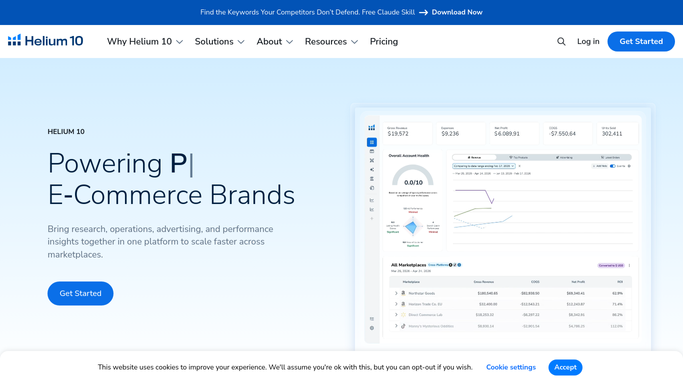
WebRun opens Helium 10 to identify ASINs below reorder threshold. - Open Helium 10 and go to Inventory Management
- Filter for ASINs flagged as low stock or within 30 days of estimated stockout
- Capture ASIN, product name, units remaining, and reorder quantity recommendation
- Sort by days of supply ascending so the most urgent items appear first
Done when Every at-risk ASIN is listed with its urgency level and reorder quantity.
-
2
Amazon Seller Central - confirm FBA on-hand units and days of supply
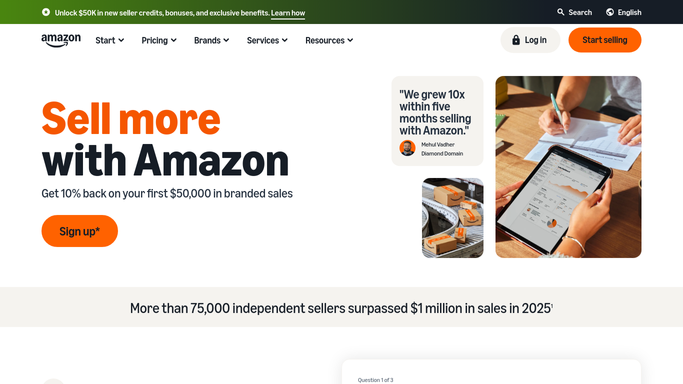
WebRun opens Amazon Seller Central to confirm FBA on-hand units and days of supply. - Open Seller Central and go to FBA Inventory in Manage Inventory
- Confirm on-hand FBA units and any inbound shipment quantities for each flagged ASIN
- Note whether any ASIN has a stranded or reserved inventory notice
Done when On-hand and inbound units are confirmed for every low-stock ASIN.
-
3
Telegram - send prioritized restock alert
telegram.org How to Automate Telegram

WebRun opens Telegram to send prioritized restock alert. - Send a restock alert to your Telegram channel listing each at-risk ASIN
- Order by urgency: stockout in fewer than 7 days first, then 7 to 14 days, then 14 to 30 days
- Include ASIN, product name, on-hand units, days of supply, and recommended reorder quantity
Done when Restock alert with all urgent ASINs is delivered to Telegram.
How is each run configured?
Secure by default
Connect once, stays signed in
WebRun signs in once and keeps each session in a persistent environment, so every run picks up right where it left off.
Amazon Seller Central
Sign in once
Every action is checked against this policy before it runs.
Questions, answered
Will it place replenishment orders with my supplier automatically?
No. WebRun sends the restock alert to Telegram for you to review and act on. Ordering from a supplier is a financial commitment, so a human always initiates it.
How does it decide what the reorder threshold is?
It reads the thresholds you have already set in Helium 10 Inventory Management. Change them there and WebRun will pick up the new values on the next run.
Does it account for inbound shipments already on their way to Amazon?
Yes. WebRun checks Seller Central for inbound quantities and factors them into the days-of-supply figure so you see a realistic stockout estimate.
Related templates
Amazon Seller Central›Amazon Seller Central›Amazon Seller Central›Put this on autopilot.
Turn it on in minutes - or have our team set it up for you.