Make sure no missed call goes uncalled back
Every 15 minutes during business hours, WebRun opens Aloware, finds inbound calls that were missed or abandoned with no callback and no answered follow-up since, sends the team a WhatsApp alert naming each caller and how long they have been waiting, and drafts a short follow-up email in Gmail for any caller with an address on record.
- No credit card
- Under $0.01 per run
- Cancel anytime
How do I make sure missed calls always get a callback?
WebRun checks Aloware every 15 minutes during business hours and finds inbound calls that were missed with no callback since. It sends your team a WhatsApp alert with each caller's wait time and drafts an unsent Gmail follow-up, so a missed call turns into a callback within minutes.
- Callers are chased within minutes, not the next day
- The longest wait is always at the top of the alert
- No caller is contacted until a human sends the message
Built for inside sales teams · contact centers · home services companies · dealerships
What does WebRun do on every run?
The exact actions WebRun takes, in order - in plain language, so you can adjust anything.
-
WebRun signs in and gets to work
Opens
aloware.comin a real browser with your saved login - no setup, no API keys. -
1
Aloware - find missed calls with no callback
aloware.com
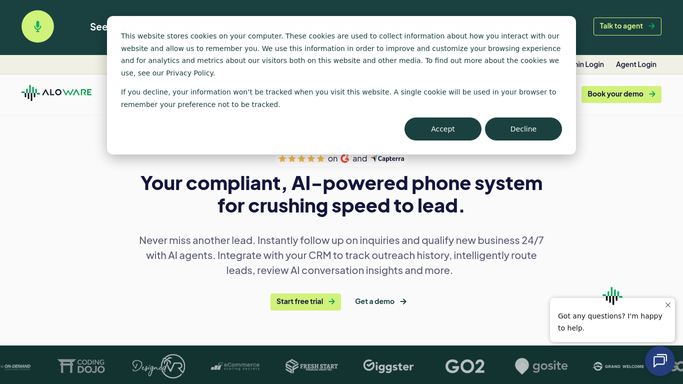
WebRun opens Aloware to find missed calls with no callback. - Open Aloware and go to the call activity view
- List inbound calls from today marked missed or abandoned
- Check whether each number has an answered call or a logged callback since
- Keep only the callers with nothing back yet
- Note the number, the line it came in on, the time, and the minutes waiting
Done when Every caller still waiting for a callback is listed with their wait time.
-
2
WhatsApp - alert the team with wait times
whatsapp.com How to Automate WhatsApp

WebRun opens WhatsApp to alert the team with wait times. - Send your sales group a short WhatsApp alert
- List each waiting caller with the number, the line, and the minutes waiting
- Put the longest wait first
- Stay silent when the callback list is empty, so the group only pings when it matters
Done when The team knows within minutes who is still waiting for a call back.
-
3
Gmail - draft a follow-up for each caller
gmail.com How to Automate Gmail

WebRun opens Gmail to draft a follow-up for each caller. - Open Gmail and draft a short apology and callback offer for each caller with an email address on record
- Reference the time they called and offer two windows to try again
- Save every message as a draft and send nothing
- Skip anyone who already has a draft waiting from an earlier run
Done when A follow-up email is drafted for every reachable caller, all unsent.
How is each run configured?
Secure by default
Connect once, stays signed in
WebRun signs in once and keeps each session in a persistent environment, so every run picks up right where it left off.
Every action is checked against this policy before it runs.
Questions, answered
Will it call or text the caller back on its own?
No. WebRun never places a call and never sends a text from Aloware. It alerts your own team on WhatsApp and drafts an email, so a person always makes the actual contact.
Does it send the follow-up email?
No. Every follow-up sits in your Gmail drafts folder unsent. You read it, adjust the tone, and send it yourself, so nothing reaches a caller without approval.
What if someone already called the person back?
They drop off the list. Each run reads live Aloware call activity and checks for an answered call or a logged callback on that number since the missed call.
Related templates
Put this on autopilot.
Turn it on in minutes - or have our team set it up for you.