Track new Alo Moves classes for your studio's programming
Every Monday, WebRun opens Alo Moves, checks the new releases page for classes and instructors added that week, posts a digest to Slack for the programming team, and sends a Telegram alert right away whenever a full new series or a new instructor is added.
- No credit card
- Under $0.01 per run
- Cancel anytime
How do I track new Alo Moves classes for studio programming ideas?
WebRun checks Alo Moves every Monday for newly released classes and instructors, posts a style grouped digest to Slack, and sends a Telegram alert right away whenever a full new series appears. It only reads the public new releases page, so a studio's programming team gets fresh inspiration without browsing Alo Moves manually every week.
- New class releases are tracked without browsing Alo Moves manually
- New series are flagged the same week they launch
- Programming teams get one weekly digest instead of scattered notes
Built for Yoga studios · fitness content teams · wellness brands · group fitness instructors
What does WebRun do on every run?
The exact actions WebRun takes, in order - in plain language, so you can adjust anything.
-
WebRun signs in and gets to work
Opens
www.alomoves.com/loginin a real browser with your saved login - no setup, no API keys. -
1
Alo Moves - check new classes
alomoves.com
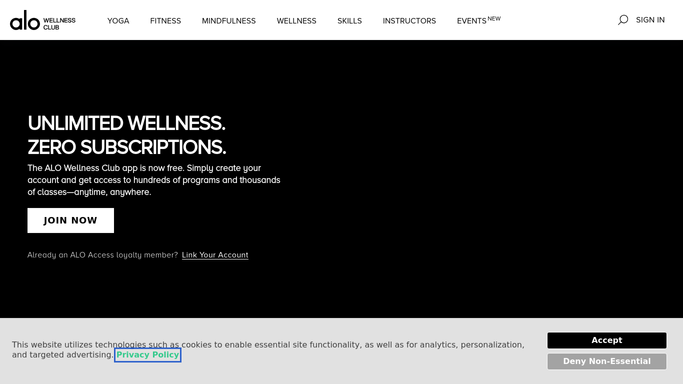
WebRun opens Alo Moves to check new classes. - Open Alo Moves and browse the new releases page
- Note each new class, its style, and its instructor
- Flag anything that is part of a brand new series
Done when This week's new Alo Moves classes have been captured with style and instructor.
-
2
Slack - post the weekly digest
slack.com How to Automate Slack

WebRun opens Slack to post the weekly digest. - Post a weekly digest of new classes to the programming channel
- Group the list by style, such as yoga, strength, or meditation
- Note which instructors published new content
Done when The weekly digest has been posted to Slack.
-
3
Telegram - alert on a new series
telegram.org How to Automate Telegram

WebRun opens Telegram to alert on a new series. - Check whether a brand new series or instructor was added this week
- Send an alert naming the series or instructor if so
- Skip the alert on a normal week with only single classes
Done when Any notable new series has triggered a Telegram alert.
How is each run configured?
Secure by default
Connect once, stays signed in
WebRun signs in once and keeps each session in a persistent environment, so every run picks up right where it left off.
Every action is checked against this policy before it runs.
Questions, answered
Does WebRun stream or play classes on Alo Moves?
No. It only reads the new releases page to see what was added. It never starts playback or touches account settings.
Why does a new series get its own alert?
So the programming team can react quickly if a new series is worth adapting for the studio, instead of waiting for the weekly digest.
Can the digest focus on a specific class style?
Yes. Tell WebRun which styles your studio programs around and the weekly digest will highlight those first.
Related templates
Put this on autopilot.
Turn it on in minutes - or have our team set it up for you.