Never miss a document on a new enrollment again
When a new participant is added in ElderSuite, WebRun checks the required enrollment checklist, physician's order, consent to treat, TB clearance, Medicaid eligibility, and emergency contacts, prepares any missing consent or physician order forms as ready-to-send DocuSign envelopes, and posts the checklist status to Slack so your admissions coordinator knows exactly what is still outstanding.
- No credit card
- Under $0.01 per run
- Cancel anytime
How do I track missing enrollment paperwork for new adult day care participants?
WebRun checks every new participant added in ElderSuite against the required enrollment checklist, physician's order, consent to treat, TB clearance, Medicaid eligibility, and emergency contact, then prepares a ready-to-send DocuSign envelope for any missing consent or physician order. It posts the checklist status to Slack so admissions always knows what is outstanding, and only a coordinator sends the paperwork.
- No new enrollee starts care with a missing consent or physician order unnoticed
- Admissions sees exactly what paperwork is outstanding without opening every file
- Consent forms are ready to send in DocuSign the same day a participant enrolls
Built for adult day care admissions coordinators · ADHC intake staff · day center program directors
What does WebRun do on every run?
The exact actions WebRun takes, in order - in plain language, so you can adjust anything.
-
WebRun signs in and gets to work
Opens
app.eldersuite.comin a real browser with your saved login - no setup, no API keys. -
1
ElderSuite - check the new enrollee's required documents
eldersuite.com How to Automate ElderSuite
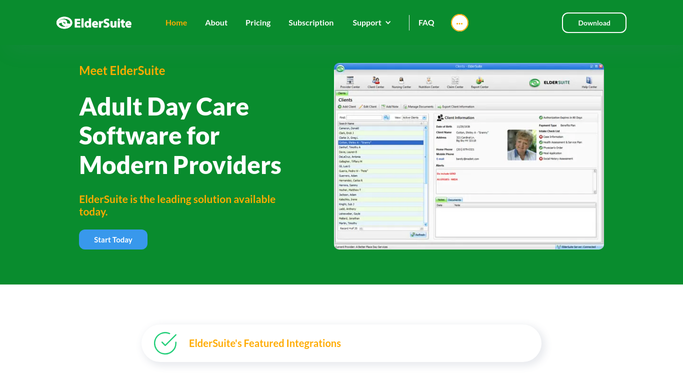
WebRun opens ElderSuite to check the new enrollee's required documents. - Open the new participant's record in ElderSuite
- Check for the required enrollment items: physician's order, consent to treat, TB clearance, Medicaid or MCO eligibility, and emergency contact
- List which required items are present and which are still missing
Done when Every required enrollment item for the new participant is marked present or missing.
-
2
DocuSign - prepare consent and physician order envelopes
docusign.com How to Automate DocuSign

WebRun opens DocuSign to prepare consent and physician order envelopes. - For any missing consent to treat or physician order form, prepare a DocuSign envelope pre-filled with the participant's name and enrollment date
- Leave every envelope unsent in DocuSign
- Do not send any envelope to the participant or responsible party directly
Done when A ready-to-send DocuSign envelope exists for every missing consent or physician order form, none of them sent.
-
3
Slack - post the checklist status to admissions
slack.com How to Automate Slack

WebRun opens Slack to post the checklist status to admissions. - Post the new enrollee's full checklist status to the admissions channel
- List which documents are missing and which DocuSign envelopes are ready to send
- Leave sending the envelope and any follow-up call to the admissions coordinator
Done when Admissions has the new enrollee's checklist status and ready-to-send envelopes in Slack.
How is each run configured?
Secure by default
Connect once, stays signed in
WebRun signs in once and keeps each session in a persistent environment, so every run picks up right where it left off.
Every action is checked against this policy before it runs.
Questions, answered
Will it send consent forms to the family without approval?
No. WebRun only prepares the DocuSign envelope and leaves it unsent. Your admissions coordinator reviews it and sends it themselves, so nothing goes to a participant or responsible party automatically.
What documents does it check for?
It checks ElderSuite for the physician's order, consent to treat, TB clearance, Medicaid or MCO eligibility, and emergency contact, the standard items most adult day programs require before a first day of care.
Does it follow up if paperwork is still missing days later?
Yes. It checks the enrollee's record again on each run, so a document still missing keeps showing on the admissions checklist until it is marked complete in ElderSuite.
Related templates
Put this on autopilot.
Turn it on in minutes - or have our team set it up for you.