Work Medicaid claim denials before the appeal window closes
Every morning, WebRun opens ElderSuite, pulls newly denied or rejected Medicaid and MCO claims, logs the denied amounts and appeal deadlines to QuickBooks so revenue at risk is visible, and drafts a follow-up email to each payer contact, leaving every draft unsent for your billing team to review.
- No credit card
- Under $0.01 per run
- Cancel anytime
How do I follow up on denied Medicaid and MCO claims before the appeal window closes?
WebRun checks ElderSuite every morning for newly denied or rejected Medicaid and MCO claims, logs the amounts and appeal deadlines to QuickBooks so revenue at risk stays visible, and drafts a follow-up email to each payer contact. Every draft sits unsent in Gmail for your billing team to review, so no appeal deadline is missed and nothing goes out unchecked.
- Every denied claim gets a drafted follow-up before its appeal window closes
- Revenue at risk is visible in QuickBooks the same morning a claim denies
- Billing staff review and send, so no follow-up reaches a payer unchecked
Built for ADHC billing managers · adult day care administrators · Medicaid billing specialists · MCO claims teams
What does WebRun do on every run?
The exact actions WebRun takes, in order - in plain language, so you can adjust anything.
-
WebRun signs in and gets to work
Opens
app.eldersuite.comin a real browser with your saved login - no setup, no API keys. -
1
ElderSuite - find denied and rejected claims
eldersuite.com How to Automate ElderSuite
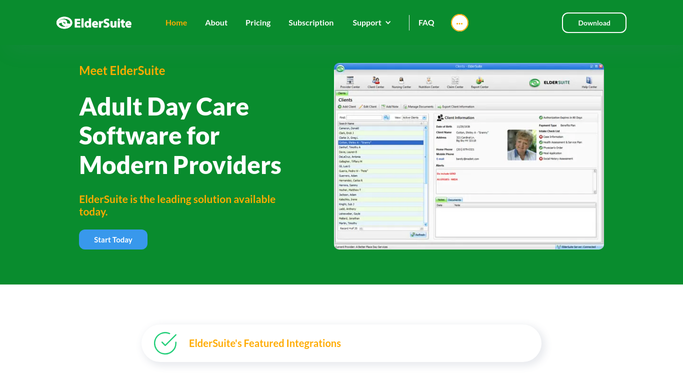
WebRun opens ElderSuite to find denied and rejected claims. - Open ElderSuite and filter Medicaid and MCO claims to denied or rejected status
- Capture the claim number, participant initials, payer, denial reason code, and denial date for each
- Calculate each payer's appeal filing deadline from the denial date
- Skip any claim already marked as appealed or corrected
Done when Every unworked denied or rejected claim is listed with its denial reason and appeal deadline.
-
2
QuickBooks - log denied amounts and revenue at risk
- Open the accounts receivable register in QuickBooks
- Log each newly denied claim's billed amount against its appeal deadline
- Flag claims within 10 days of their deadline so revenue at risk is visible on the AR aging view
Done when QuickBooks reflects the current denied claims total and which deadlines are closest.
-
3
Gmail - draft payer follow-up emails for review
gmail.com How to Automate Gmail

WebRun opens Gmail to draft payer follow-up emails for review. - Draft a follow-up email to the payer or MCO case manager for each denied claim, referencing the claim number and denial reason
- Leave every draft unsent in Gmail for your billing team to review
- Do not send any follow-up or appeal directly to a payer
Done when A reviewable draft follow-up sits in Gmail for every denied claim, none of them sent.
How is each run configured?
Secure by default
Connect once, stays signed in
WebRun signs in once and keeps each session in a persistent environment, so every run picks up right where it left off.
Every action is checked against this policy before it runs.
Questions, answered
Will it send the appeal or follow-up to the payer?
No. WebRun only creates an unsent draft in Gmail for each denied claim. Your billing team reviews and sends every follow-up, so nothing goes to a payer or MCO on its own.
How does it decide which denials are most urgent?
It calculates each payer's appeal filing deadline from the denial date and flags claims within 10 days of that deadline in QuickBooks, so the ones closest to expiring surface first.
What happens once a claim is appealed or corrected?
It reads the live claim status in ElderSuite each morning, so once a claim is marked appealed or corrected it drops out of the next day's follow-up run.
Related templates
Put this on autopilot.
Turn it on in minutes - or have our team set it up for you.