Chase Missing Proofs of Delivery
Every morning, WebRun opens Flexport, checks all shipments marked Delivered in the past 30 days, cross-references your POD log in Google Sheets, identifies any still missing a signed proof of delivery, and drafts a chase email to the carrier or broker — queued for your review before sending.
How can I automatically chase missing proofs of delivery from carriers?
Every morning, WebRun opens Flexport, checks all shipments marked Delivered in the past 30 days, cross-references your POD log in Google Sheets, identifies any missing a signed proof of delivery, and drafts a chase email to the carrier or broker — queued for your review before sending.
- Every delivered shipment checked for a POD daily without manual review
- Chase emails drafted and ready to send in one click
- Documentation gaps closed before they become billing disputes
Built for freight brokers · logistics coordinators · import-export teams · 3PL operations teams
What does WebRun do on every run?
The exact actions WebRun takes, in order — in plain language, so you can adjust anything.
-
WebRun signs in and gets to work
Opens
app.flexport.comin a real browser with your saved login — no setup, no API keys. -
1
Flexport — find delivered shipments without POD
flexport.com
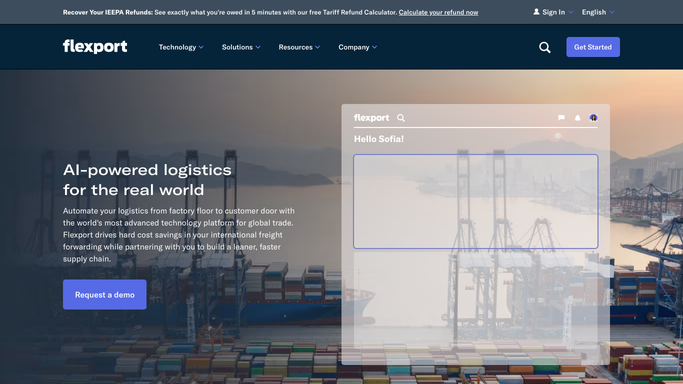
WebRun opens Flexport to find delivered shipments without POD. - Open Flexport and filter shipments to Delivered status in the past 30 days
- Check each shipment's document tab for a signed POD or delivery receipt
- Note the shipment reference, carrier, and delivery date for any shipment with no POD on file
Done when Every delivered shipment without a POD is identified with carrier and delivery date.
-
2
Google Sheets — cross-reference POD log
google.com

WebRun opens Google Sheets to cross-reference POD log. - Open the POD Tracking sheet and check which of the missing-POD shipments were already chased
- Mark newly identified gaps with today's date and status Chase Needed
- Update the status of shipments where a POD arrived since the last run
Done when The POD log is current and every missing POD is flagged for chasing.
-
3
Gmail — draft chase request per carrier
gmail.com

WebRun opens Gmail to draft chase request per carrier. - Draft a professional chase email per carrier, listing the shipment references that still lack a POD
- Reference the delivery date and politely request the signed document within 5 business days
- Save each email as a Gmail draft — do not send yet
Done when A draft chase email exists in Gmail for every carrier with outstanding PODs.
How is each run configured?
Secure by default
Connect once, stays signed in
WebRun signs in once and keeps each session in a persistent environment, so every run picks up right where it left off.
Every action is checked against this policy before it runs.
Questions, answered
Will it send chase emails to carriers automatically?
No. Every chase is saved as a Gmail draft and logged for your review. You choose what goes out and when.
What if a POD arrives during the day after the morning run?
You can mark it received in the Google Sheet and it will be excluded from the next day's chase list. The sheet is the live source of truth.
Why do we need PODs?
Signed PODs are your proof that goods were delivered as agreed — essential for billing, dispute resolution, and carrier claims. Missing PODs are a financial and compliance risk.
Related templates
Put this on autopilot.
Turn it on in minutes — or have our team set it up for you.